
-
Hi, everyone! We’ve just released Chrome 151 (151.0.7922.173) for Android. It’ll become available on Google Play over the next few days. This release includes stability and performance improvements. You can see a full list of the changes in the Git log.
-
The Chrome team is excited to announce the promotion of Chrome 153 to the Beta channel for Windows, Mac and Linux. Chrome 153.0.8010.
-
The Chrome team is excited to announce the promotion of Chrome 153 to the Beta channel for Windows, Mac and Linux. Chrome 153.0.8010.
-
The Stable channel has been updated to 151.0.7922.173/.174 for Windows and Mac and 151.0.7922.173 for Linux, which will roll out over the coming days/weeks.
-

Since announcing Google Antigravity in Gemini Enterprise Agent Platform at I/O in May, we’ve heard helpful feedback from our customers. Your developers want easy access to coding agents across surfaces. Your enterprise governance team wants security controls and license management.
-
Since announcing Google Antigravity in Gemini Enterprise Agent Platform at I/O in May, we’ve heard helpful feedback from our customers. Your developers want easy access to coding agents across surfaces. Your enterprise governance team wants security controls and license management.
-
Since announcing Google Antigravity in Gemini Enterprise Agent Platform at I/O in May, we’ve heard helpful feedback from our customers. Your developers want easy access to coding agents across surfaces. Your enterprise governance team wants security controls and license management.
-
Google is a Leader in the 2026 Gartner® Magic Quadrant™ for Cloud-Native Application Platforms
 Issue 2026-34
We are thrilled to announce that Google has been recognized as a Leader for the third year in a row in the 2026 Gartner® Magic Quadrant™ for Cloud-Native Application Platforms (CNAP).
-
Google is a Leader in the 2026 Gartner® Magic Quadrant™ for Cloud-Native Application Platforms
Issue 2026-34We are thrilled to announce that Google has been recognized as a Leader for the third year in a row in the 2026 Gartner® Magic Quadrant™ for Cloud-Native Application Platforms (CNAP).
-
Google is a Leader in the 2026 Gartner® Magic Quadrant™ for Cloud-Native Application Platforms
Issue 2026-34We are thrilled to announce that Google has been recognized as a Leader for the third year in a row in the 2026 Gartner® Magic Quadrant™ for Cloud-Native Application Platforms (CNAP).
-

With the fall semester kicking off, Google is rolling out one of the most generous student promotions we’ve seen to date, offering eligible college students in the U.S. a full year of Google AI Pro completely free of charge. That is a $240 annual value ($19.
-
With the fall semester kicking off, Google is rolling out one of the most generous student promotions we’ve seen to date, offering eligible college students in the U.S. a full year of Google AI Pro completely free of charge. That is a $240 annual value ($19.
-
With the fall semester kicking off, Google is rolling out one of the most generous student promotions we’ve seen to date, offering eligible college students in the U.S. a full year of Google AI Pro completely free of charge. That is a $240 annual value ($19.
-
With the fall semester kicking off, Google is rolling out one of the most generous student promotions we’ve seen to date, offering eligible college students in the U.S. a full year of Google AI Pro completely free of charge. That is a $240 annual value ($19.
-
Hi everyone! We’ve just released Chrome Beta 153 (153.0.8010.5) for Android. It’s now available on Google Play.You can see a partial list of the changes in the Git log. For details on new features, check out the Chromium blog, and for details on web platform updates, check here.
-
If you noticed slight UI jitter or occasional input delay after updating your Chromebook to milestone 151 last week, you aren’t imagining things. Google has officially pushed an incremental maintenance update to the Stable channel, rolling out ChromeOS version 16733.54.0 (Browser version 151.0.7922.168) to supported Chromebooks and ChromeOS Flex devices.
-
When the first benchmarks and regulatory filings for the ASUS Googlebook CX9406 surfaced earlier this month, the specs we had access to were loaded and the device already looked pretty amazing with an ultra-light ceramic-alloy chassis, Intel Panther Lake silicon, and up to a crazy 64GB of RAM.
-
When the first benchmarks and regulatory filings for the ASUS Googlebook CX9406 surfaced earlier this month, the specs we had access to were loaded and the device already looked pretty amazing with an ultra-light ceramic-alloy chassis, Intel Panther Lake silicon, and up to a crazy 64GB of RAM.
-
When the first benchmarks and regulatory filings for the ASUS Googlebook CX9406 surfaced earlier this month, the specs we had access to were loaded and the device already looked pretty amazing with an ultra-light ceramic-alloy chassis, Intel Panther Lake silicon, and up to a crazy 64GB of RAM.
-
When the first benchmarks and regulatory filings for the ASUS Googlebook CX9406 surfaced earlier this month, the specs we had access to were loaded and the device already looked pretty amazing with an ultra-light ceramic-alloy chassis, Intel Panther Lake silicon, and up to a crazy 64GB of RAM.
-

Written by: Gabby Roncone, Wesley Shields Overview Google Threat Intelligence Group (GTIG) is tracking three distinct suspected Russian cyber espionage threat clusters abusing legitimate authentication flows to target individuals working in academia, aerospace and defense, governments and think tanks across Europe, as well as academia and think tanks within the United States.
-
Written by: Gabby Roncone, Wesley Shields Overview Google Threat Intelligence Group (GTIG) is tracking three distinct suspected Russian cyber espionage threat clusters abusing legitimate authentication flows to target individuals working in academia, aerospace and defense, governments and think tanks across Europe, as well as academia and think tanks within the United States.
-
Written by: Gabby Roncone, Wesley Shields Overview Google Threat Intelligence Group (GTIG) is tracking three distinct suspected Russian cyber espionage threat clusters abusing legitimate authentication flows to target individuals working in academia, aerospace and defense, governments and think tanks across Europe, as well as academia and think tanks within the United States.
-
Hi everyone! We’ve just released Chrome Beta 153 (153.0.8010.4) for iOS; it’ll become available on App Store in the next few days.You can see a partial list of the changes in the Git log. If you find a new issue, please let us know by filing a bug.
-

Most video on a Chromebook gets to cheat. A YouTube clip is a file that already exists somewhere, so your browser grabs thirty seconds of it in advance and stays comfortably ahead of you.
-
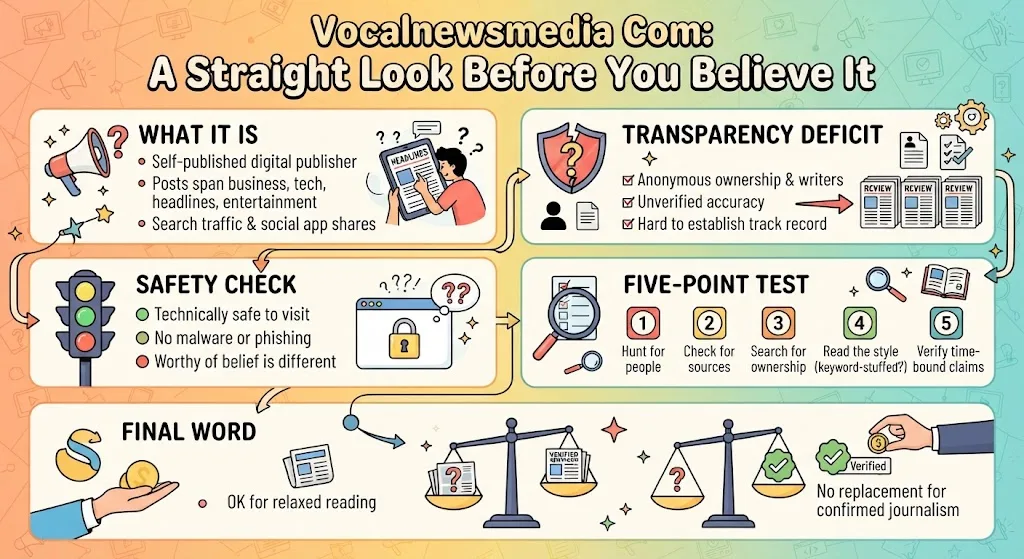
Vocalnewsmedia.com may raise questions about who operates the site and whether it is trustworthy. Explore its background, content and credibility before relying on it.
-
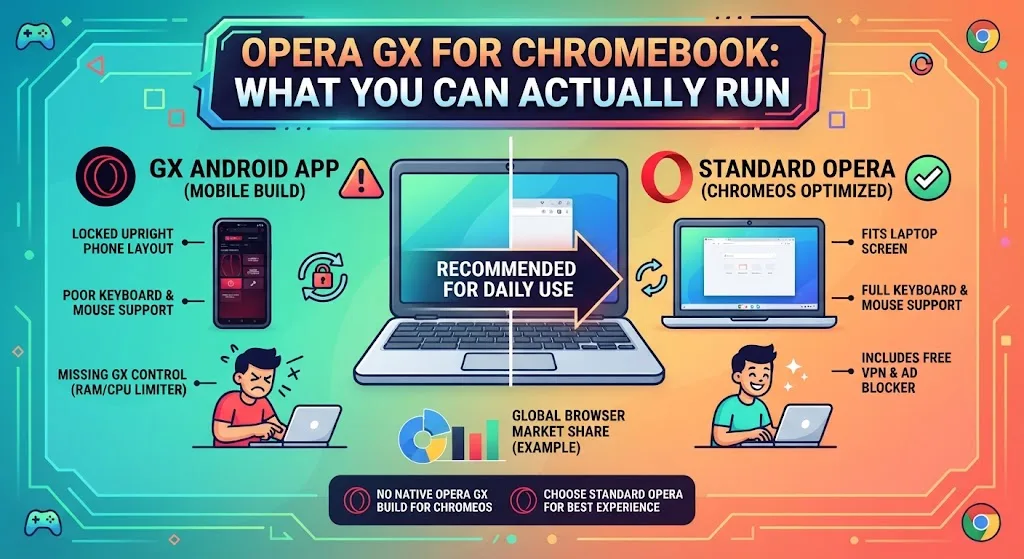
Opera GX is unavailable on ChromeOS and Linux desktops, with official versions limited to Windows, macOS and Android, leaving Chromebook users without a direct install option.
-
Opera GX is unavailable on ChromeOS and Linux desktops, with official versions limited to Windows, macOS and Android, leaving Chromebook users without a direct install option.
-
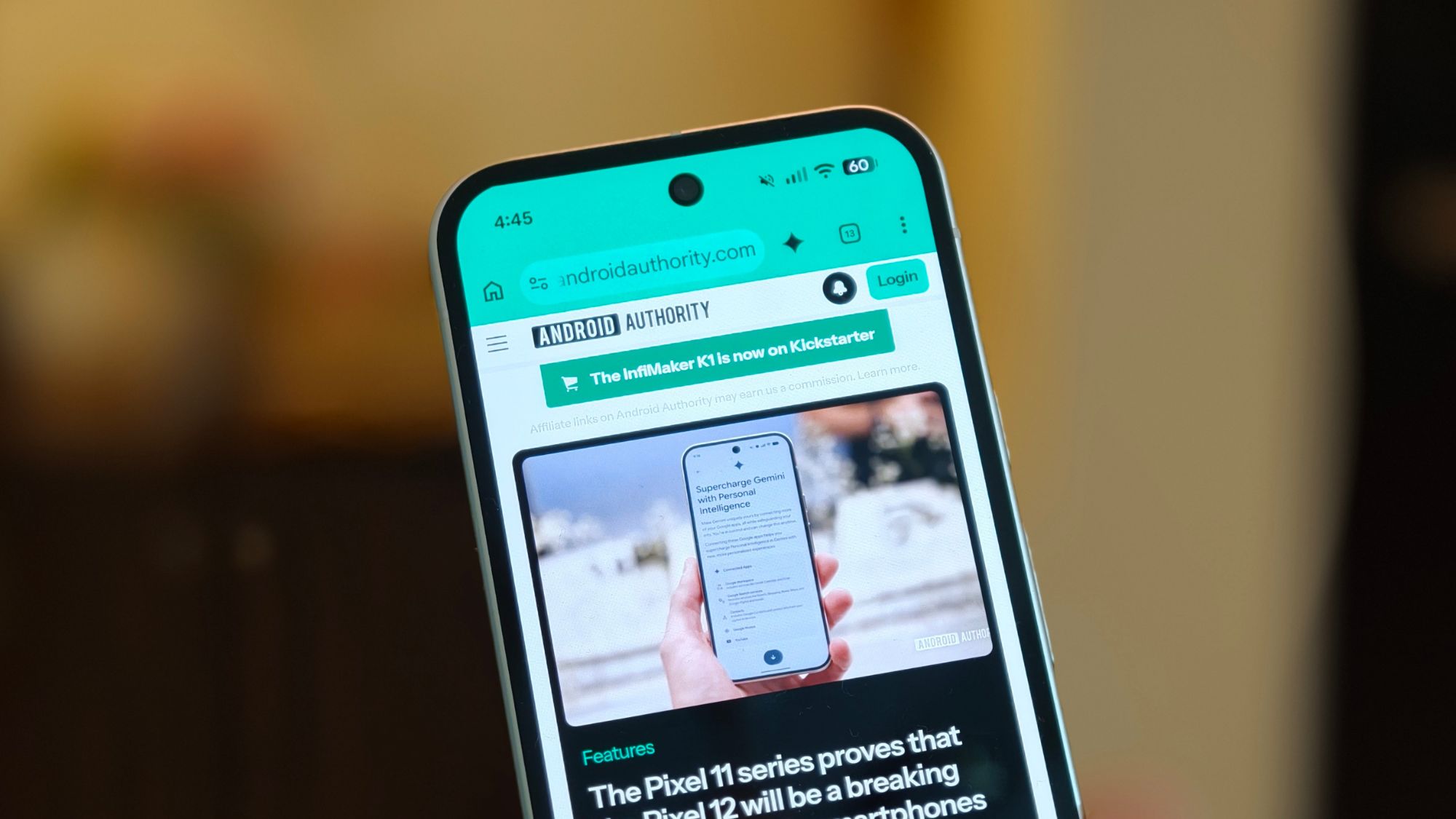
Chrome and I need some alone time.
-
Chrome and I need some alone time.
-

Two new flags spotted in Chrome’s open-source code point to a remote-control transport that lets Glic trigger, continue, or stop automated browsing sessions.
-
M-151, ChromeOS version 16733.54.0 (Browser version 151.0.7922.168) has rolled out to ChromeOS devices on the Stable channel.
-
Hello Everyone! We’ve just released Chrome 152 (152.0.7977.54) for Android to a small percentage of users. It’ll become available on Google Play over the next few days. You can find more details about early Stable releases here.This release includes stability and performance improvements.
-
Google Search is undergoing another major upgrade, expanding far beyond static text snippets and blue links into a dynamic, interactive workspace.
-
Google Search is undergoing another major upgrade, expanding far beyond static text snippets and blue links into a dynamic, interactive workspace.


Welcome to the ChromeOSphere
Your one-stop hub for all things Chrome OS and Chrome browser. Our mission is simple: to keep you connected with the pulse of this ever-evolving digital realm. From the latest updates on Chrome, ChromeOSphere brings together the diverse voices of the Chrome world.