
Weekly Issue: 2026-32
-
icostamp.com Explained: Digital Seals, Chain Proofs, and Token Checks
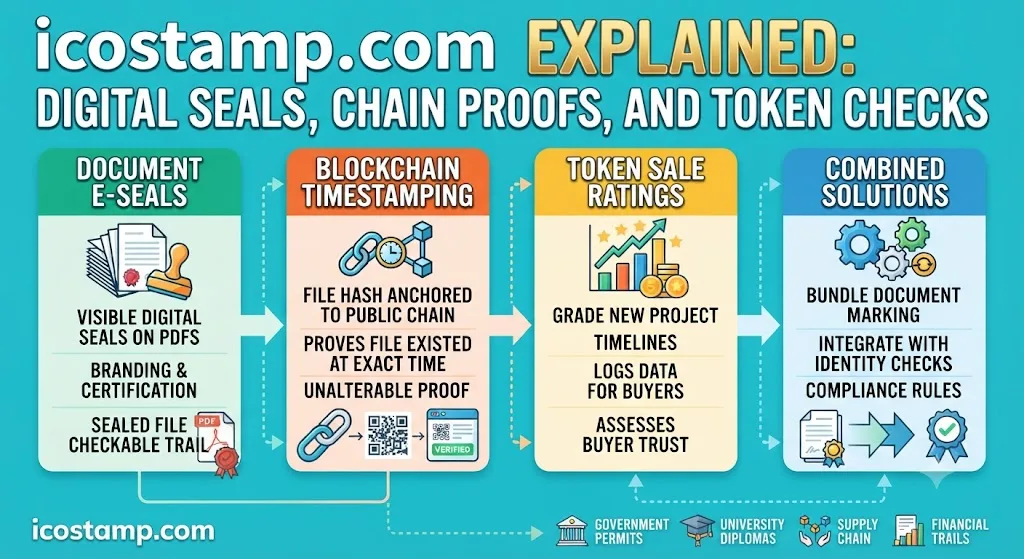
ICOSTAMP.com brings together digital document seals, blockchain timestamping, and token sale reviews. Its services help verify when files existed and provide assessments of coin offerings.
-
Using JournalWord Com For Clear Thinking and Steady Focus
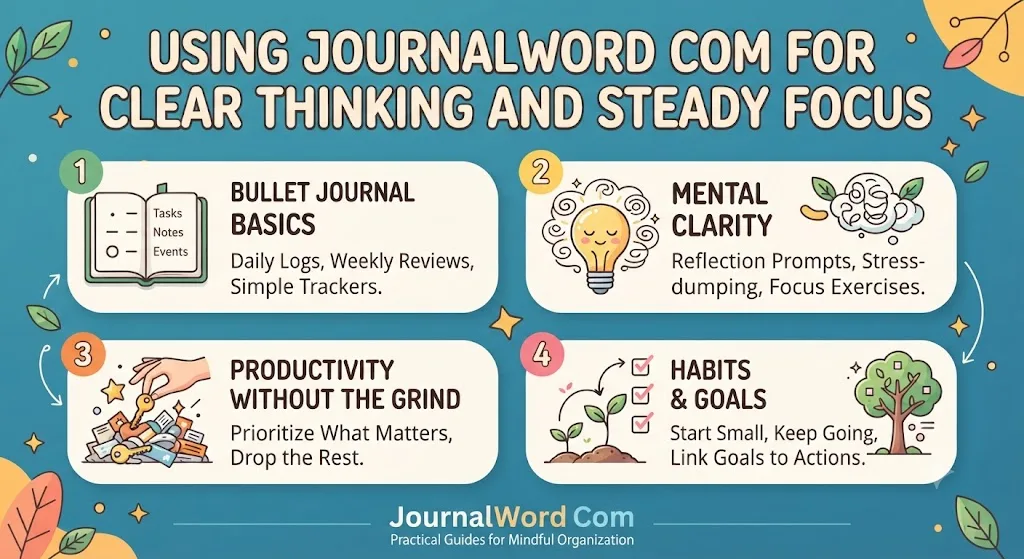
JournalWord.com offers practical guidance on journaling, Bullet Journal methods, and mindful organization for beginners. It is designed to help simplify scattered thoughts, unfinished tasks, and everyday planning.
-
I’m finally streaming Netflix in 4K on Chrome — here’s how you can too

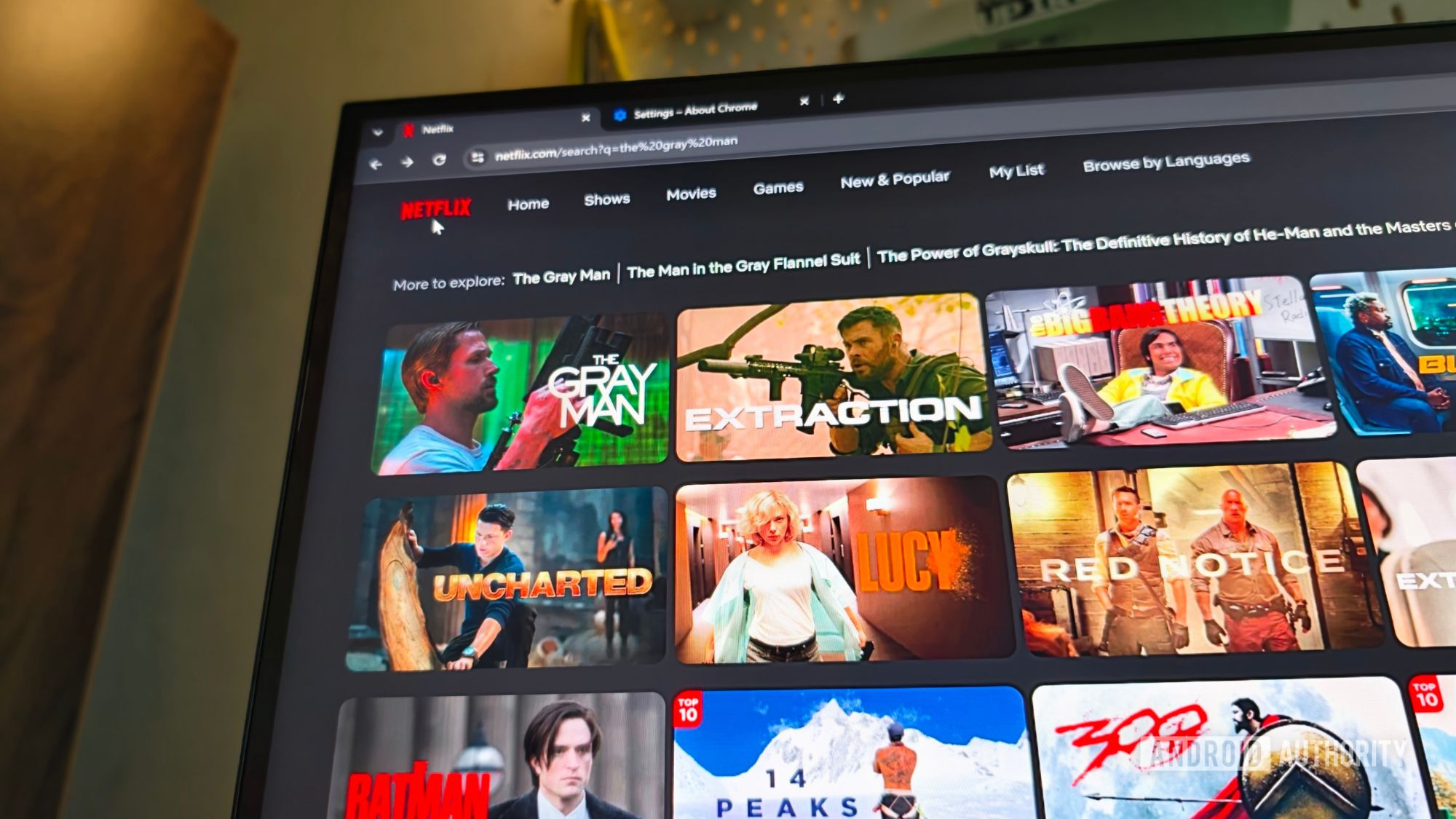
I pixel-peeped so you don’t have to.
-
I’m finally streaming Netflix in 4K on Chrome — here’s how you can too
I pixel-peeped so you don’t have to.
-
I’m finally streaming Netflix in 4K on Chrome — here’s how you can too
I pixel-peeped so you don’t have to.
-
I’m finally streaming Netflix in 4K on Chrome — here’s how you can too
I pixel-peeped so you don’t have to.
-
Aw, Snap! Crashes Only on YouTube Tabs: How to Fix It


If Aw, Snap! only hits YouTube tabs, learn how to tell a GPU decoder issue from memory pressure, extensions, or a driver conflict, and fix the right one.
-
Aw, Snap! Crashes Only on YouTube Tabs: How to Fix It
If Aw, Snap! only hits YouTube tabs, learn how to tell a GPU decoder issue from memory pressure, extensions, or a driver conflict, and fix the right one.
-
Aw, Snap! Crashes Only on YouTube Tabs: How to Fix It
If Aw, Snap! only hits YouTube tabs, learn how to tell a GPU decoder issue from memory pressure, extensions, or a driver conflict, and fix the right one.
-
Aw, Snap! Crashes Only on YouTube Tabs: How to Fix It
If Aw, Snap! only hits YouTube tabs, learn how to tell a GPU decoder issue from memory pressure, extensions, or a driver conflict, and fix the right one.
-
Aw, Snap! Crashes Only on YouTube Tabs: How to Fix It
If Aw, Snap! only hits YouTube tabs, learn how to tell a GPU decoder issue from memory pressure, extensions, or a driver conflict, and fix the right one.
-
Chrome Dev for Desktop Update

The Dev channel has been updated to 153.0.7993.0 for Windows, Mac and Linux.A partial list of changes is available in the Git log. Interested in switching release channels? Find out how. If you find a new issue, please let us know by filing a bug.
-
Dev Channel Update for ChromeOS / ChromeOS Flex
The ChromeOS Dev channel is being updated to OS version 16765.12.0 (Browser version 152.0.7977.28) for most ChromeOS devices.
-
How to Turn On Select Text to Ask Gemini in Chrome

Chrome’s Select text to ask Gemini setting shows a floating Ask Gemini menu whenever you highlight text. Here’s how to turn it on and use it.
-
How to Turn On Select Text to Ask Gemini in Chrome
Chrome’s Select text to ask Gemini setting shows a floating Ask Gemini menu whenever you highlight text. Here’s how to turn it on and use it.
-
How to Turn On Select Text to Ask Gemini in Chrome
Chrome’s Select text to ask Gemini setting shows a floating Ask Gemini menu whenever you highlight text. Here’s how to turn it on and use it.
-
How to Turn On Select Text to Ask Gemini in Chrome
Chrome’s Select text to ask Gemini setting shows a floating Ask Gemini menu whenever you highlight text. Here’s how to turn it on and use it.
-
How to Turn On Select Text to Ask Gemini in Chrome
Chrome’s Select text to ask Gemini setting shows a floating Ask Gemini menu whenever you highlight text. Here’s how to turn it on and use it.
-
How to Turn On Select Text to Ask Gemini in Chrome
Chrome’s Select text to ask Gemini setting shows a floating Ask Gemini menu whenever you highlight text. Here’s how to turn it on and use it.
-
How to Edit Photos with Nano Banana in Chrome’s Sidebar

Nano Banana lets you edit photos right in Chrome’s Gemini side panel. Here’s how to open it, describe an edit, and save the result.
-
How to Edit Photos with Nano Banana in Chrome’s Sidebar
Nano Banana lets you edit photos right in Chrome’s Gemini side panel. Here’s how to open it, describe an edit, and save the result.
-
How to Edit Photos with Nano Banana in Chrome’s Sidebar
Nano Banana lets you edit photos right in Chrome’s Gemini side panel. Here’s how to open it, describe an edit, and save the result.
-
How to Edit Photos with Nano Banana in Chrome’s Sidebar
Nano Banana lets you edit photos right in Chrome’s Gemini side panel. Here’s how to open it, describe an edit, and save the result.
-
How to Edit Photos with Nano Banana in Chrome’s Sidebar
Nano Banana lets you edit photos right in Chrome’s Gemini side panel. Here’s how to open it, describe an edit, and save the result.
-
How to Edit Photos with Nano Banana in Chrome’s Sidebar
Nano Banana lets you edit photos right in Chrome’s Gemini side panel. Here’s how to open it, describe an edit, and save the result.
-
How to Edit Photos with Nano Banana in Chrome’s Sidebar
Nano Banana lets you edit photos right in Chrome’s Gemini side panel. Here’s how to open it, describe an edit, and save the result.
-
Zero-code, low-cost data ingestion: New BigQuery DTS capabilities


In a fast-paced digital economy, data is your most critical engine. Yet, many enterprises find themselves trapped in a costly paradox, spending over 100 hours a week building and fixing fragile, in-house ETL pipelines or wrestling with unpredictable third-party tools.
-
Zero-code, low-cost data ingestion: New BigQuery DTS capabilities
In a fast-paced digital economy, data is your most critical engine. Yet, many enterprises find themselves trapped in a costly paradox, spending over 100 hours a week building and fixing fragile, in-house ETL pipelines or wrestling with unpredictable third-party tools.
-
Chrome Crashes on Video Pages? Fix RAM vs Extension Causes
Chrome tab crashing on video-heavy pages? Learn to tell a RAM-exhaustion crash from an extension conflict, plus the fixes that match each cause and the ones that don’t work.
-
Chrome Crashes on Video Pages? Fix RAM vs Extension Causes
Chrome tab crashing on video-heavy pages? Learn to tell a RAM-exhaustion crash from an extension conflict, plus the fixes that match each cause and the ones that don’t work.
-
Chrome Crashes on Video Pages? Fix RAM vs Extension Causes
Chrome tab crashing on video-heavy pages? Learn to tell a RAM-exhaustion crash from an extension conflict, plus the fixes that match each cause and the ones that don’t work.
-
Chrome Crashes on Video Pages? Fix RAM vs Extension Causes
Chrome tab crashing on video-heavy pages? Learn to tell a RAM-exhaustion crash from an extension conflict, plus the fixes that match each cause and the ones that don’t work.
-
Unifying Structured and Unstructured Data Insights with BQ Search Innovations
Modern enterprises possess a vast amount of unstructured data, yet they frequently encounter significant challenges in managing and extracting value from it.
-
Unifying Structured and Unstructured Data Insights with BQ Search Innovations
Modern enterprises possess a vast amount of unstructured data, yet they frequently encounter significant challenges in managing and extracting value from it.
-
High-res ASUS Googlebook renders have leaked, and this thing looks gorgeous
Earlier this week, we covered the initial leaks surrounding the ASUS Googlebook CX9406 – a 2.2-pound ceramic-alloy beast packing Intel’s next-gen Panther Lake (Core Ultra Series) silicon, up to 64GB of LPDDR5X RAM, and Google’s now-signature lid-mounted Glowbar.

Welcome to the ChromeOSphere
Your one-stop hub for all things Chrome OS and Chrome browser. Our mission is simple: to keep you connected with the pulse of this ever-evolving digital realm. From the latest updates on Chrome, ChromeOSphere brings together the diverse voices of the Chrome world.