
-
PHP and Wiz Research disclosed today two critical vulnerabilities in the core PHP language runtime that can expose applications to unauthenticated remote code execution and memory disclosure. Wiz used a mix of models to identify and help remediate these vulnerabilities.
-
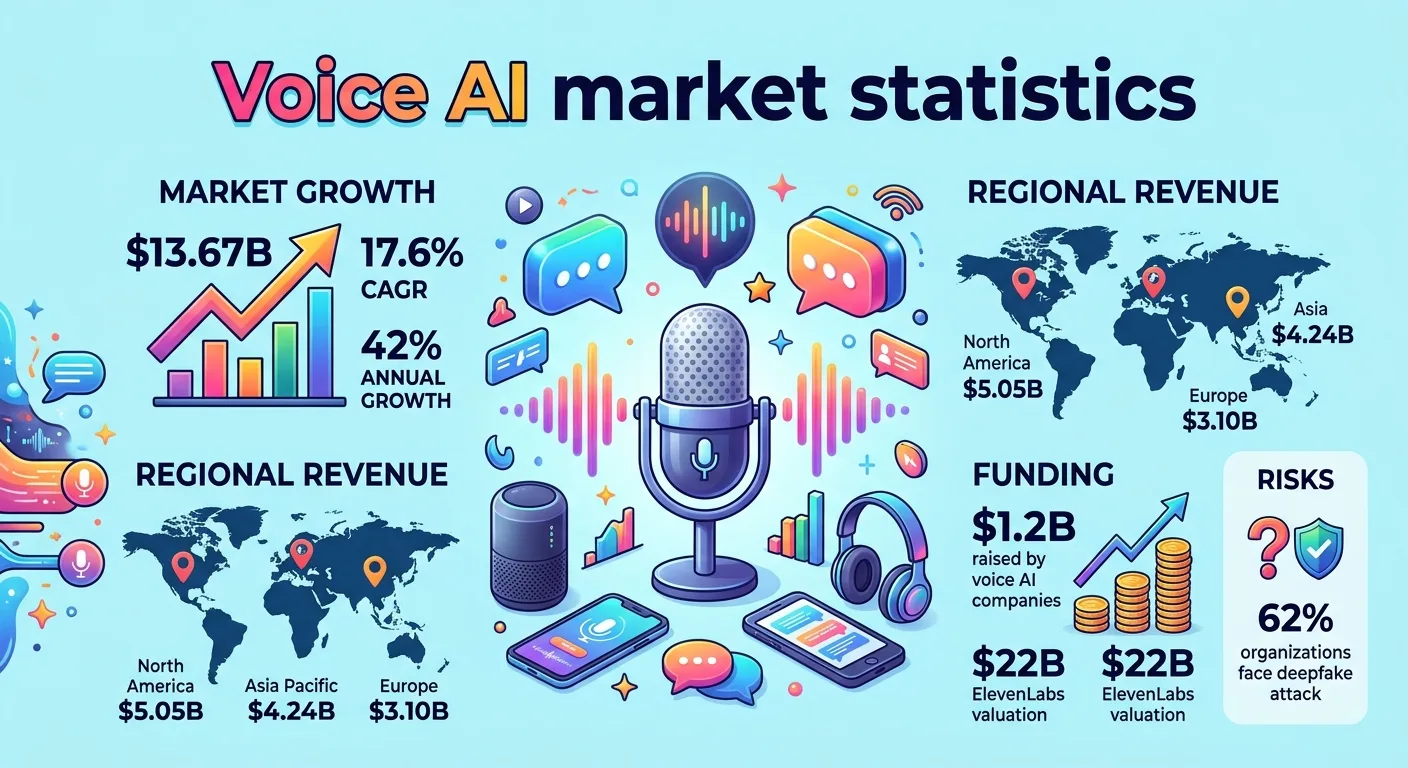
Explore voice AI market statistics for 2026, including the projected $13.67 billion market, 42% voice agent growth, $1.2 billion in funding, ElevenLabs’ $22 billion valuation, enterprise adoption, and deepfake risks.
-
Google Cloud expands model choice and flexibility, bringing OpenAI models to customers
 Issue 2026-43
Google Cloud has always been defined by choice, enterprise-grade governance, and market-leading price-performance. Key to the foundation of openness and choice is giving customers flexibility to run agentic workloads across their choice of models and infrastructure to achieve the right balance of cost, capability, and performance.
-

Bringing autonomous agents into production means processing sensitive data and valuable intellectual property in real time. Protecting proprietary model weights, user prompts, and generated outputs requires security that safeguards data while it is actively being computed.
-
Google Cloud and NVIDIA expand co-engineering collaboration to scale infrastructure for the agentic era
Issue 2026-43
As enterprises transition to continuous, multi-step agentic workflows, traditional infrastructure is hitting its limits. But raw performance is only part of the equation.
-

Microsoft expanded its sovereign cloud offerings on Tuesday, adding new security, governance and AI capabilities as customers, particularly in Europe, demand greater assurance over where data is stored, who can access it and how critical services operate during disruptions.
-

Google shows a CAPTCHA on Android when your connection looks like automated traffic. A VPN, a shared mobile IP, or a bad app is usually why. Here’s the fix.
-

Some network operators like to wear belts and suspenders to keep their services up
-
M-156, ChromeOS version 16836.19.0 (Browser version 156.0.8078.42) has rolled out to ChromeOS devices on the Stable channel.
-
Hi, everyone! We’ve just released Chrome 156 (156.0.8078.47) for Android. It’ll become available on Google Play over the next few days. This release includes stability and performance improvements. You can see a full list of the changes in the Git log.
-
The Chrome team is delighted to announce the promotion of Chrome 156 to the stable channel for Windows, Mac and Linux. This will roll out over the coming days/weeks.Chrome 156.0.8078.47 (Linux) 156.0.8078.47/.48 Windows/Mac contains a number of fixes and improvements — a list of changes is available in the log.
-

Observability software pioneer Grafana Labs Inc. is flexing its muscles in the rapidly emerging market for artificial intelligence monitoring tools with a swath of updates to its Grafana Cloud platform announced at ObservabilityCON 2026 today.
-
Online scams move fast, and bad actors are continually looking for ways to bypass traditional browser filters. According to a new post from Google, Chrome’s Safe Browsing is getting a substantial suite of upgrades aimed squarely at modern social engineering tactics – from deceptive sites to deceptive clipboard commands.
-

Google is launching a new browser safety feature for Chrome that aims to keep you better informed about how malicious a website might be before you open it.
-
Hi everyone! We’ve just released Chrome Stable 156 (156.0.8078.46) for iOS; it’ll become available on App Store in the next few hours.This release includes stability and performance improvements. You can see a full list of the changes in the Git log.
-

Building a quick interactive calculator, quiz, or dashboard inside the Gemini app has become pretty straightforward over the past few months.
-
Learn how to create smooth, native entry and exit animations for top-layer modal dialogs without relying on complex JavaScript hacks. Discover how Modern Web Guidance ensures your code uses built-in browser capabilities out of the box, rendering elements above other content without messy z-index workarounds.
-
When you spend $1,000 or more on a brand-new laptop, knowing you can track it down if it gets lost or stolen is pretty high on the priority list.
-
Just yesterday, I wrote a candid critique detailing the growing pains holding Googlebook OS back.
-
Today at PyTorch Conference 2026, we announced a range of new products and integrations designed to help you run PyTorch effectively on Google Cloud or in your own infrastructure. Notably, TorchTPU, our native PyTorch stack for Google TPUs, is now available as open source on GitHub.
-

In a weird way, I’ve been thinking about the idea of a Googlebook for well over a decade now — despite the fact that such a product has only officially existed for a matter of months.
-
Today we are bringing together mission leaders and builders from across the public sector at the Google Public Sector Summit in Washington D.C. to explore a critical intersection: Where mission meets moonshot.
-
Enabling the next era of sovereign AI: The latest Google Distributed Cloud innovations
Issue 2026-43
Agentic systems are quickly moving from pilots to production in the enterprise.
-
Meta’s new commercial terms say if its AI makes a mistake, it will legally be the customer’s fault
 Issue 2026-43
In Meta commercial terms changes slated to kick in on October 30, the company will shift the liability for any mistakes made by its AI models to its enterprise customers. The new language also makes those IT executives responsible for anything done by a partner or contractor.
-
A page loads but parts are missing or broken? Chrome may be blocking insecure content. Here’s how to allow it for one site, and when you shouldn’t.
-
In this episode of The CSS Podcast, we’re diving into the power of invoker commands! Discover how the command and commandfor attributes allow you to declaratively open dialogs and show popovers. We’ll explore standard commands and then jump into creating your own custom commands for more complex interactions.
-
If you have spent any time following tech news or developer forums over the past couple of weeks, you have likely run into the massive controversy surrounding ArtCraft.
-
Googlebooks are incredible phone companions, but they left too much of ChromeOS behind
 Issue 2026-43
After spending the past couple of weeks testing all five launch Googlebooks as my daily drivers, there is a whole lot about this new platform that I genuinely love.
-
The web is evolving as users increasingly rely on agents to complete complex tasks. We explore WebMCP and how it allows developers to provide deterministic tools for agents. By integrating WebMCP into your site, you can improve task completion rates while keeping your accessibility markup focused on human users.
-
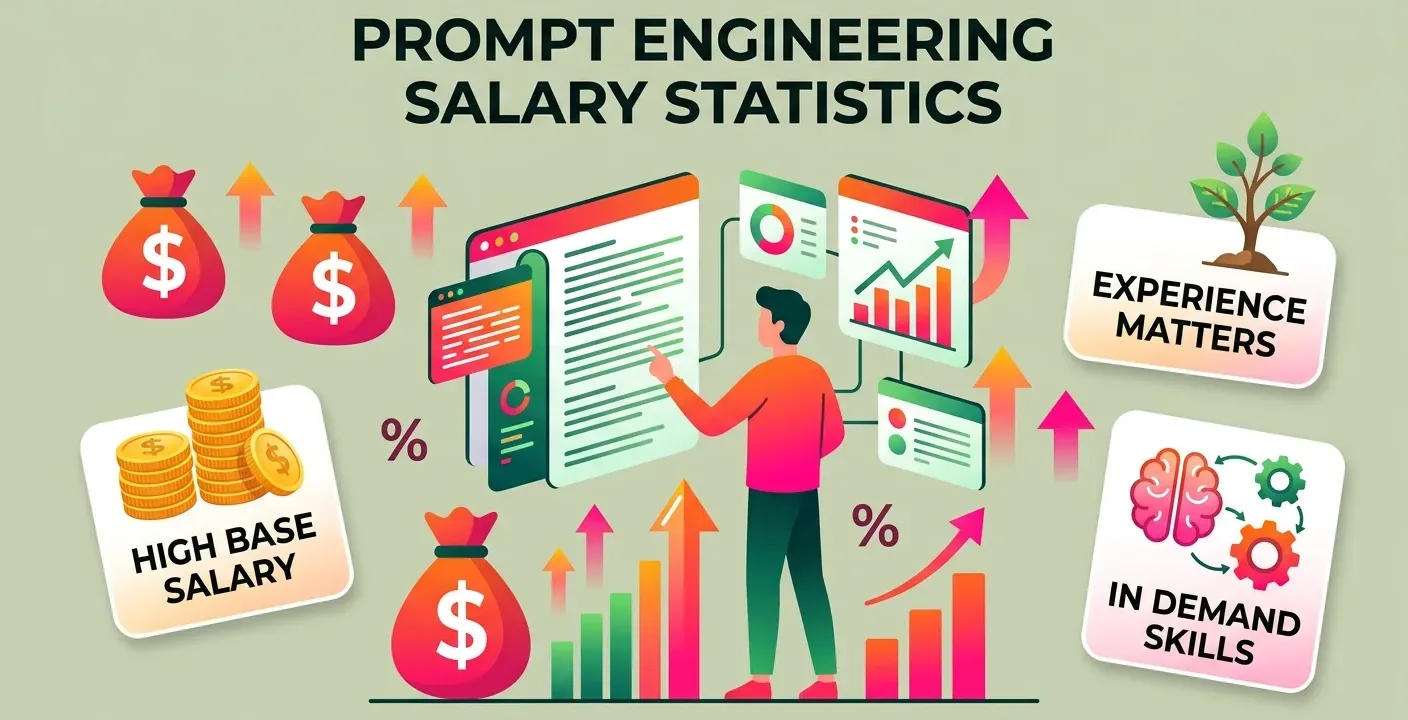
US prompt engineer salaries range from $97,940 to $134,000 across three salary trackers, with one reporting $113,650. Compare salary estimates and explore how much prompt engineers earn in 2026.
-
How Kuwaiti Players Are Turning to Browser-Based Casino Platforms Amid Regional Gambling Restrictions
 Issue 2026-43
Gambling is illegal in Kuwait under Article 205 of the Penal Code, and the country enforces one of the strictest bans on betting and gaming anywhere in the world, rooted firmly in Islamic Sharia principles.
-
HTTP error 500 in Chrome means the website’s server failed, not your browser. Here is how to confirm it and what actually helps.
-
Chrome not asking to save your card? Check the Save and fill payment methods switch first, then Google Wallet. Here is how to tell which one it is.
-

Between the work I do here at Chrome Unboxed and managing a totally different day-to-day business, my inbox quickly turns into a firehose before 9:00 AM most mornings. Digging through dozens of back-and-forth email threads just to find a single embargo time or deliverable is a daily grind.
-

Building Chrome extensions with Antigravity is now easier when you install Modern Web Guidance and Chrome DevTools for agents. Check out our documentation for detailed instructions. Resources: Setup guide → https://goo.gle/4fRlVW3 Modern Web Guidance → https://goo.gle/3TGRI4H Chrome DevTools for agents → https://goo.gle/3UetfUs Watch more Developer Mode → https://goo.






Welcome to the ChromeOSphere
Your one-stop hub for all things Chrome OS and Chrome browser. Our mission is simple: to keep you connected with the pulse of this ever-evolving digital realm. From the latest updates on Chrome, ChromeOSphere brings together the diverse voices of the Chrome world.