
Weekly Issue: 2026-23
-
Chrome Skills: How to Save and Reuse AI Workflows

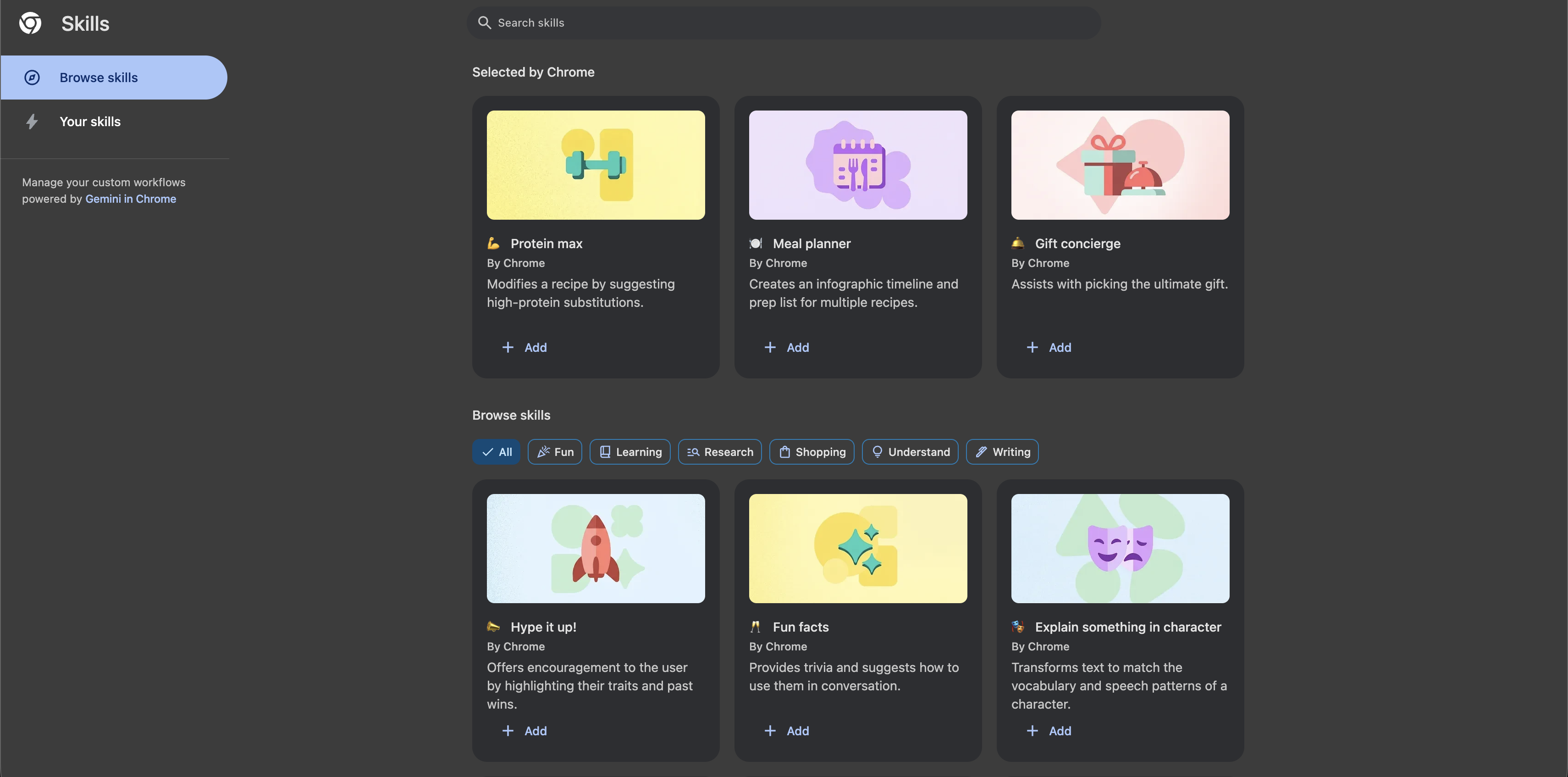
Chrome Skills let you save Gemini AI prompts as one-click workflows that run on any page or across multiple tabs. Here’s how to create, use, and build a library of useful Skills.
-
I gave my old Chromebook new life by making it look like Windows 95 using the XFCE desktop environment

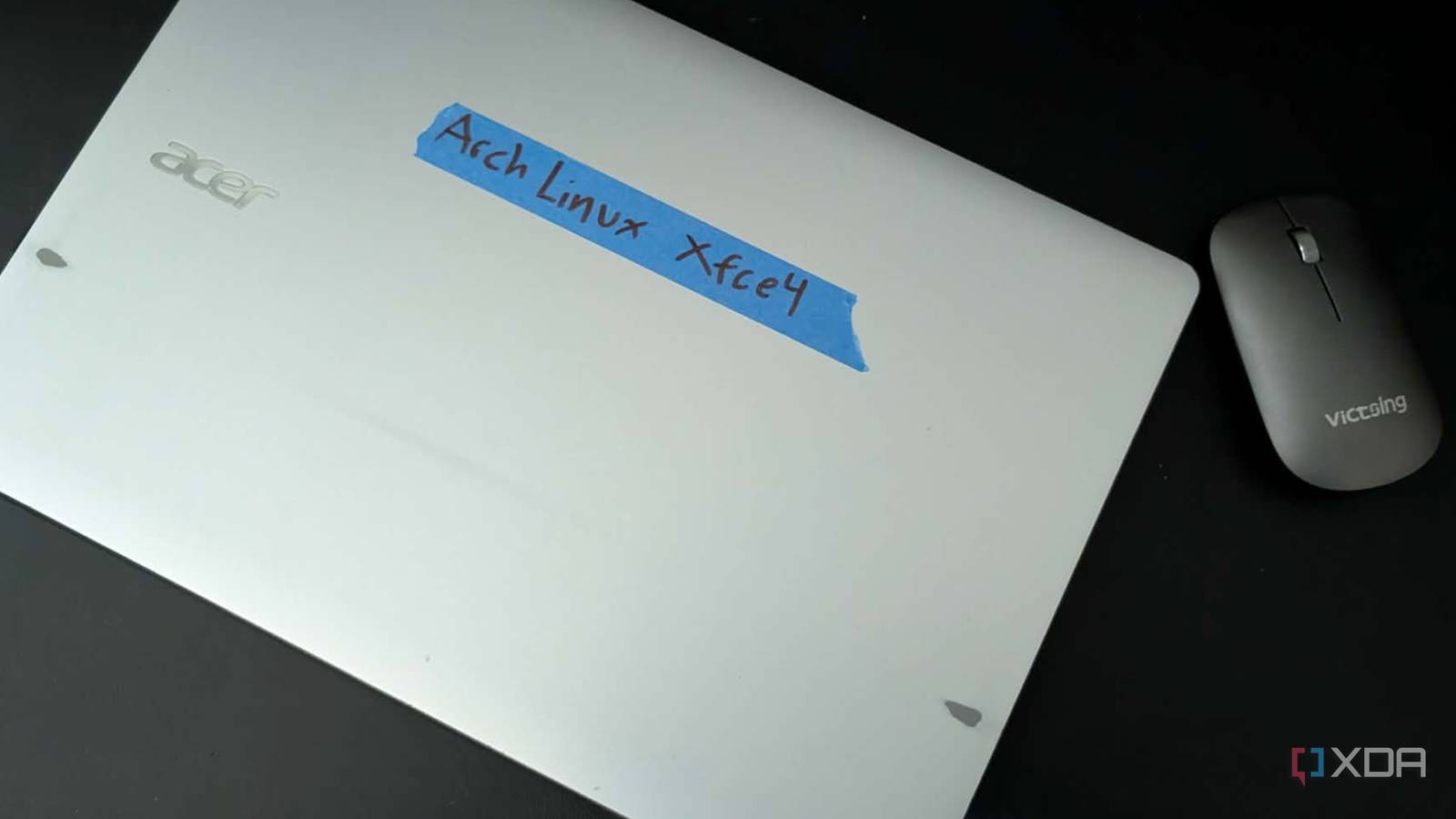
A blast from the past using Linux.
-
I gave my old Chromebook new life by making it look like Windows 95 using the XFCE desktop environment
A blast from the past using Linux.
-
I gave my old Chromebook new life by making it look like Windows 95 using the XFCE desktop environment
A blast from the past using Linux.
-
I gave my old Chromebook new life by making it look like Windows 95 using the XFCE desktop environment
A blast from the past using Linux.
-
Descript AI Audio Enhancer Reviewed
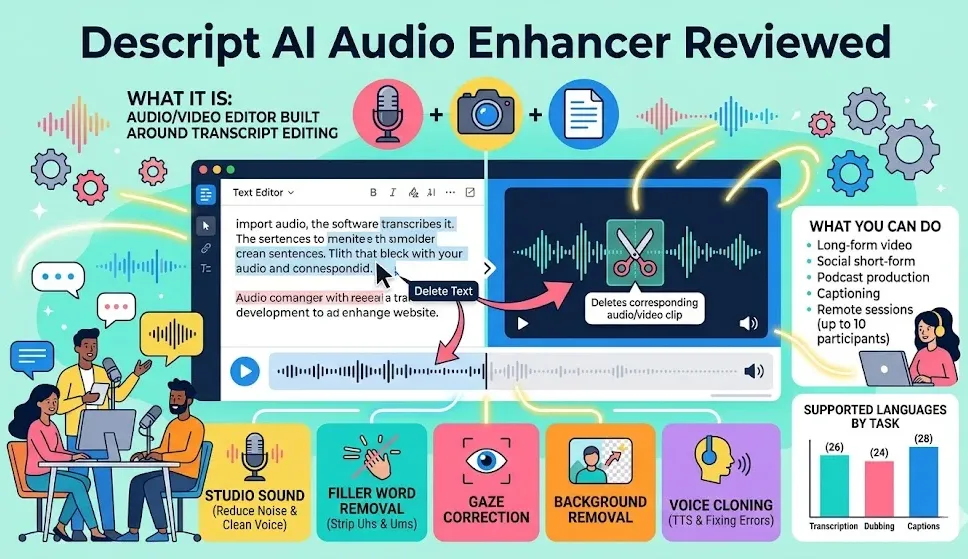
Descript AI treats audio and video like a text document. After you import a recording, the software creates a transcript, and any edits you make to the text automatically update the media. Delete a sentence from the transcript, and that section disappears from the audio or video.
-
Android App Usage on Chromebooks Statistics 2026: App Adoption And Usage Data
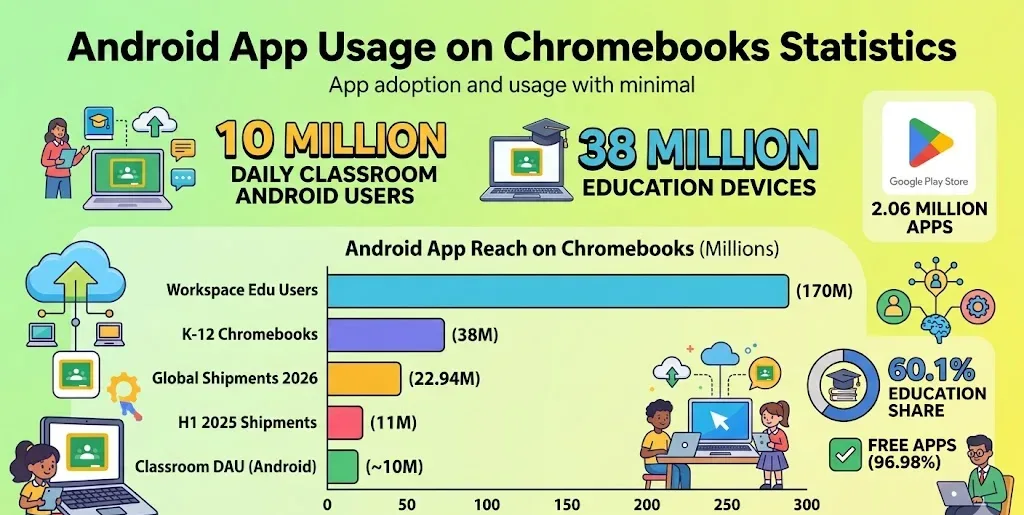
Google Classroom recorded around 10 million daily active Android users in early 2024, highlighting the widespread use of Android apps among Chromebook owners and students.
-
Chromebook Keeps Disconnecting from Wi-Fi? Here’s the Fix

If your Chromebook keeps dropping Wi-Fi, these fixes will get you back online and stop the disconnections for good.
-
Chromebook Keeps Disconnecting from Wi-Fi? Here’s the Fix
If your Chromebook keeps dropping Wi-Fi, these fixes will get you back online and stop the disconnections for good.
-
Beta Channel Update for ChromeOS / ChromeOS Flex

The ChromeOS Beta channel is being updated to OS version 16667.35.0 (Browser version 149.0.7827.88) for most ChromeOS devices.
-
Google denies plans to make AI Mode Chrome’s default for search

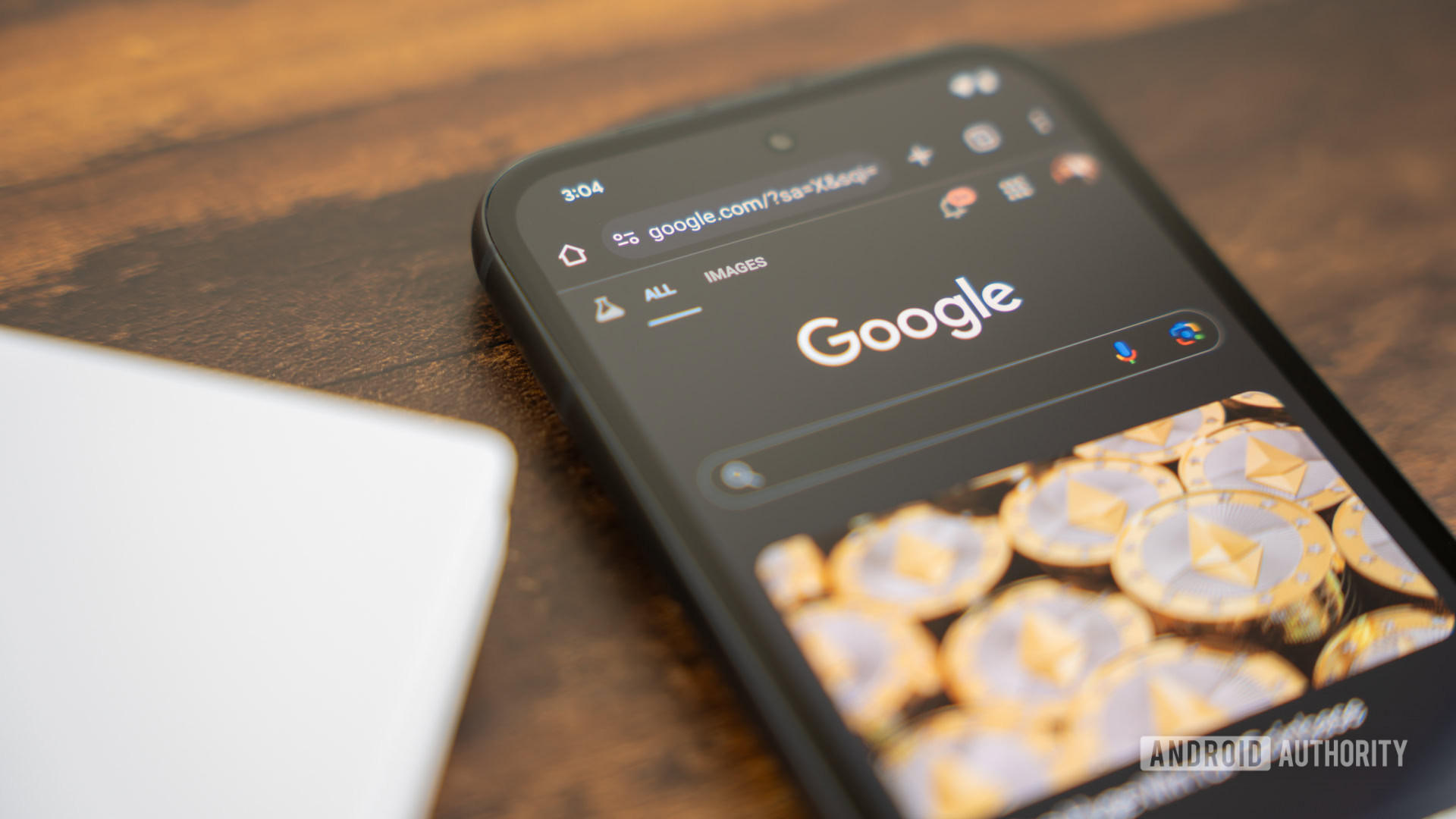
We won’t be forced into AI Mode on Chrome — at least, not anytime soon.
-
Google denies plans to make AI Mode Chrome’s default for search
We won’t be forced into AI Mode on Chrome — at least, not anytime soon.
-
Fix markdown image syntax with AI and JSON schemas #GoogleIO

If you’re struggling with Markdown image syntax, the trailblazers editor can help. It automatically generates proper HTML figures with AI-suggested alt text and captions. By using a JSON schema and a multimodal LLM session, you can easily paste images into the editor and let AI do the heavy lifting.
-
Chrome is now ‘faster than ever,’ and Google wrote a technical love letter to prove it
Google lays out the engineering behind Chrome’s recent performance boost.
-
Chrome is now ‘faster than ever,’ and Google wrote a technical love letter to prove it
Google lays out the engineering behind Chrome’s recent performance boost.
-
A new Google test is sending Chrome users straight to AI Mode in Search

For over two decades, the browser omnibox has been the simplest front door to standard Google Search. You type a question, hit enter, and get a neat list of traditional blue links.
-
Google VP John Maletis on what makes Googlebook different from Android Desktop
Ever since rumors began circulating about Google bringing the Android tech stack over to power a new desktop-class computing experience, a lot of us in this space have been asking a very logical question: how will Googlebook’s OS actually differ from the standard Android Desktop interface Google is also working very hard on improving lately?…
-
The Google TV Streamer hits $80 again, bringing Gemini and smart home control to your living room
The streaming device market is highly competitive, and finding the right balance of price and performance can be a challenge. But right now, the Google TV Streamer is back on sale for a very tempting $79.99 and is easy for me to recommend.
-
Google could make AI Mode the default way to search in Chrome
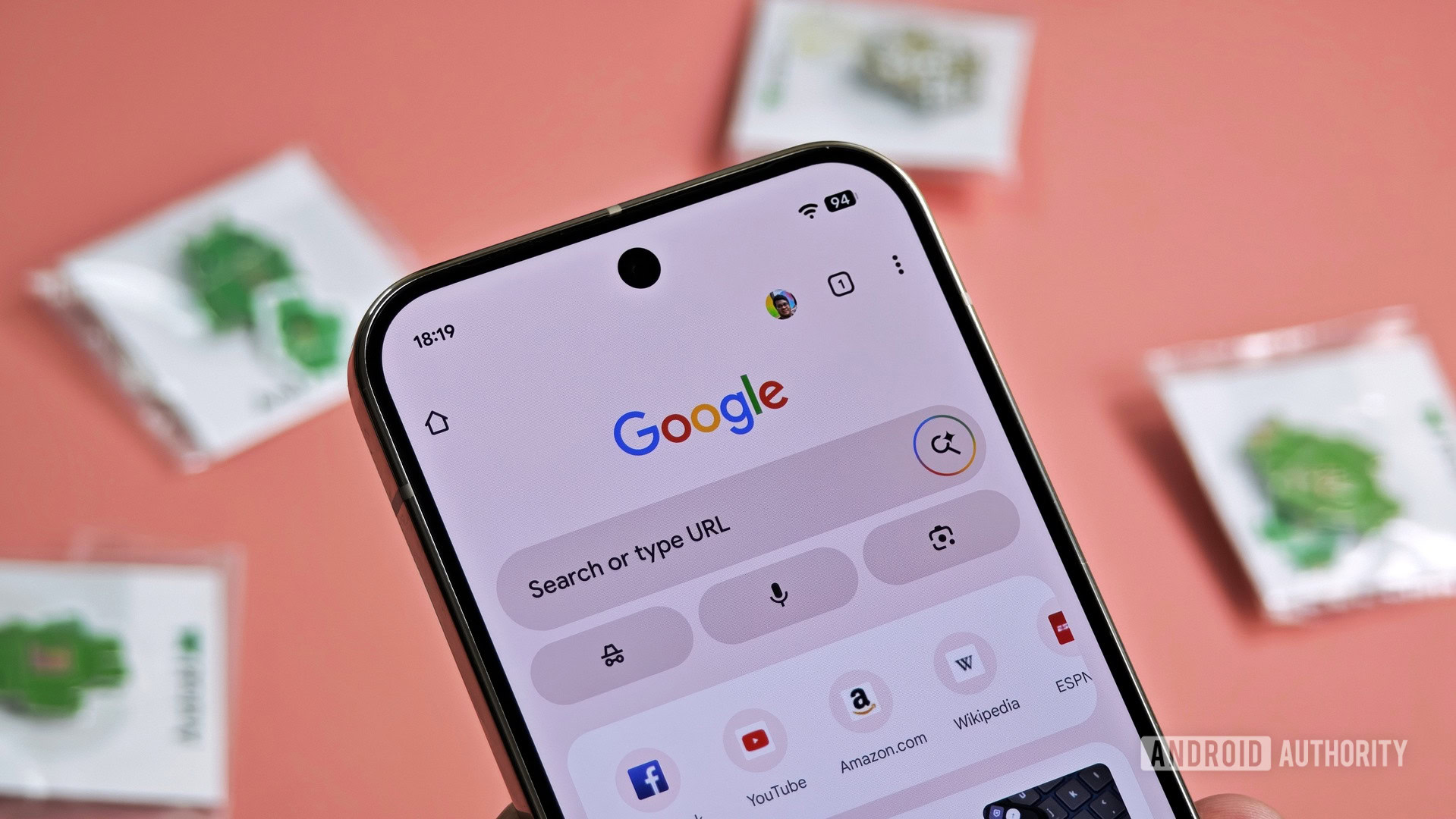
Google really wants you to use AI Mode.
-
Google could make AI Mode the default way to search in Chrome
Google really wants you to use AI Mode.
-
uTorrent for Chromebook: Easy Setup Options You Can Try Today
Chromebooks are light and easy to carry around. They use ChromeOS rather than Windows or macOS. This means you cannot put regular desktop programs onto them the usual way. So getting torrent software set up takes a different approach altogether. Good news here.
-
How to Use Google Analytics on Chromebook: A Simple Guide

Google Analytics works well on a Chromebook. The best way is to open the regular desktop website inside the Chrome browser. Chromebooks run ChromeOS, and the web version gives you full reach over every report and admin setting. You do not need a high-end machine for any of this.
-
ChromeOS adding video editing on Chromebooks in Google Photos
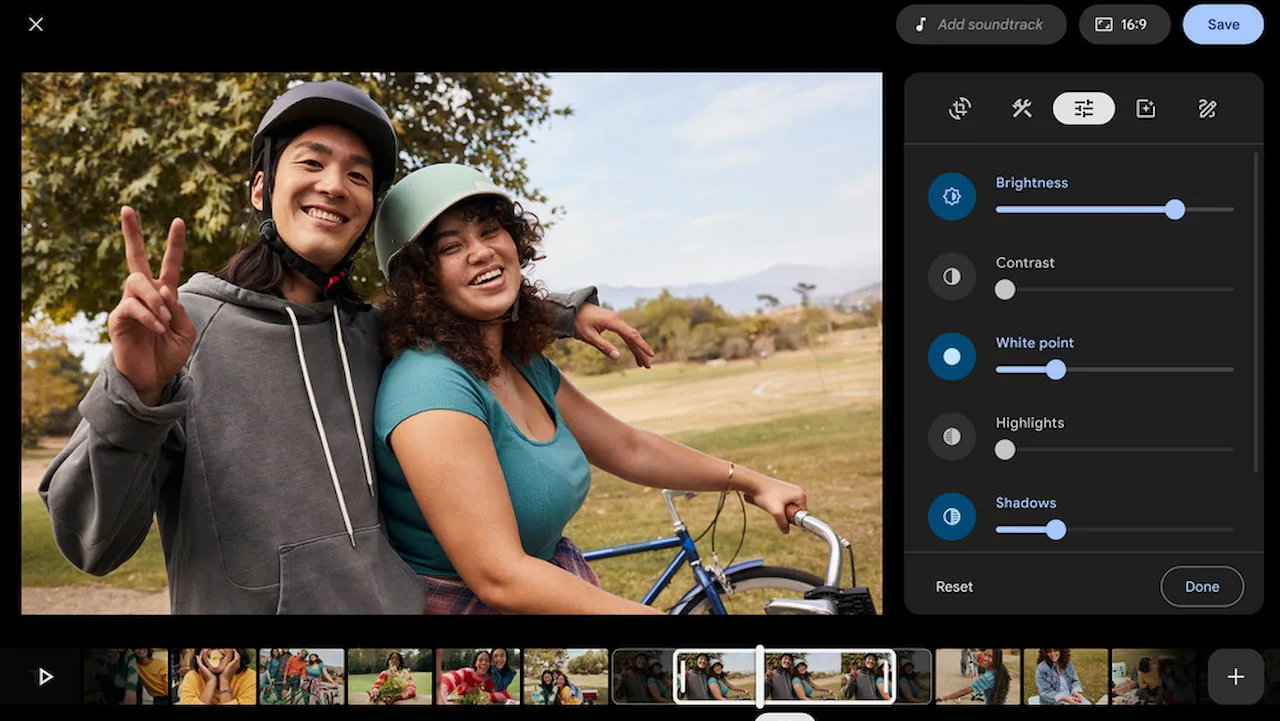
After more than 10 years of ChromeOS, native video editing on Chromebooks is near! In a blog post on Wednesday, Google shared the news, along with images of the new ChromeOS video editing feature arriving this fall.
-
Chromebook Plus AI Features Gemini: A Full Look at the Built-In Tools
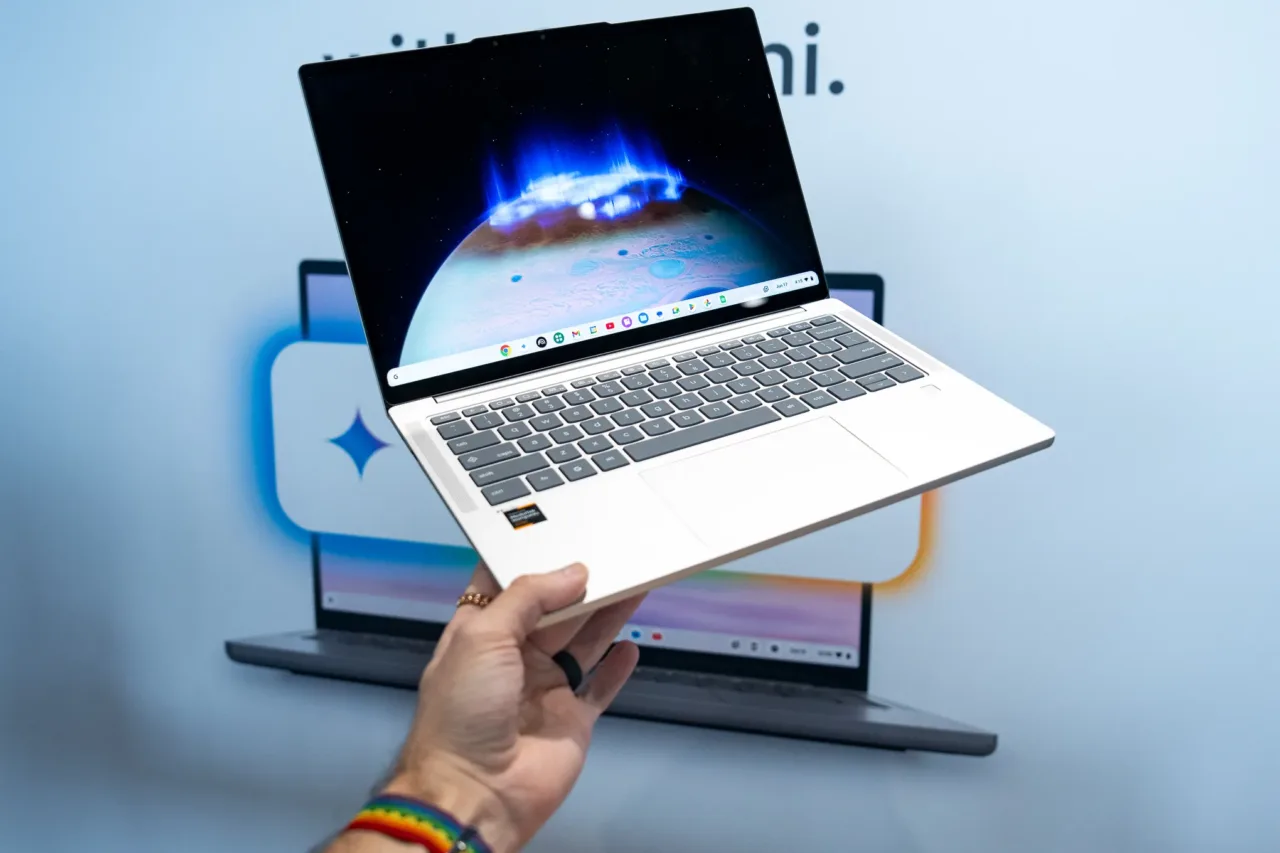
Chromebook Plus laptops include Google Gemini and a set of built-in AI tools. The point is to help you finish your work and make new things without ever leaving the app you are in. You do not need to open extra tabs. You do not need to jump between windows.
-
How to Get Audacity for Chromebook: A Simple Setup Guide
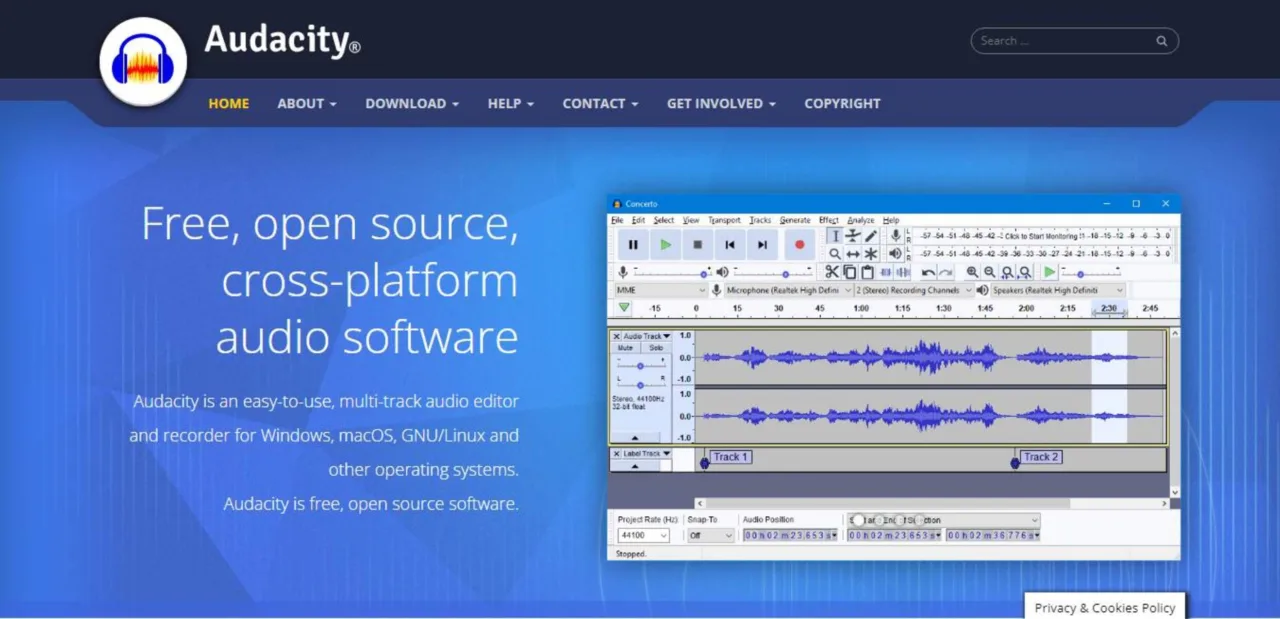
Chromebooks are known for being quick, safe, and easy to use. Many people love them for school and daily tasks. But built-in sound editing tools feel basic. Audacity for Chromebook fixes this problem. It is a free multi-track sound editor. With some setup, your laptop becomes a strong audio station.
-
Seeking Counsel: Ongoing Targeted Campaign Against US Law Firms


Written by: Chad Reams, Tufail Ahmed, Keith Knapp, Ashley Frazer, Tyler McLellan Introduction From January through May 2026, Mandiant identified a financially motivated data theft extortion campaign executed by the threat cluster UNC3753 (also tracked as “Luna Moth,” “Chatty Spider,” and “Silent Ransom Group”) targeting dozens of organizations across professional, legal, and financial services in…
-
How to Use Chrome’s New Full-Page Reading Mode

Chrome’s reading mode now opens in a full-page view. Here’s how to turn it on and pin it to your toolbar for one-click access.
-
How to Enable Vertical Tabs in Google Chrome

Chrome finally has native vertical tabs — here’s how to switch from the horizontal tab strip to a sidebar in two clicks.
-
Cloud Gaming on a Chromebook: A Hands-On Test of Latency Across 5 Services
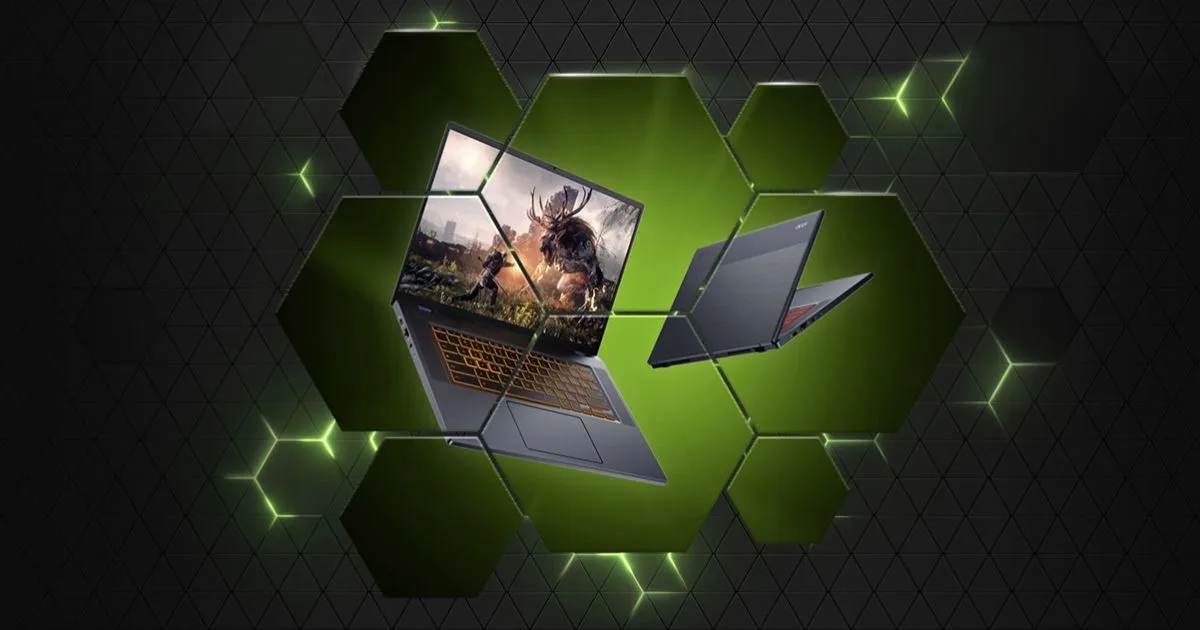
Chromebooks were never designed for gaming. They run ChromeOS, ship with modest processors, and carry no dedicated GPU. But cloud gaming changes that equation – at least in theory. Instead of local hardware doing the heavy lifting, a remote server renders the game and streams it to your screen.
-
How to Remove Malware From Chromebook
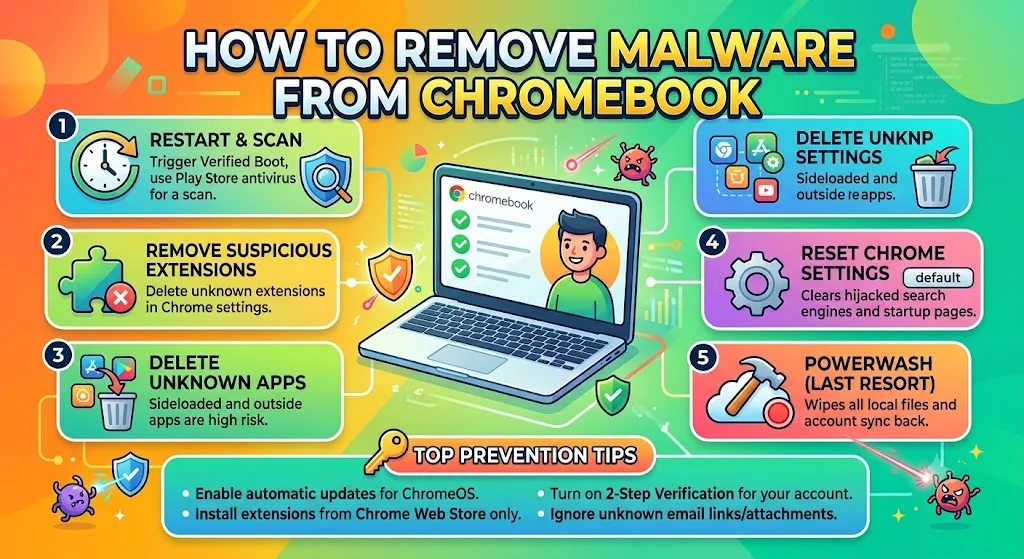
Chromebooks are generally more resistant to malware than Windows laptops, but they are not immune to threats. Malicious browser extensions, unsafe Android apps, and phishing websites can still compromise security on ChromeOS if users are not careful.
-
Most Popular Chromebook Screen Sizes Statistics 2026: Device Preference And Usage Data
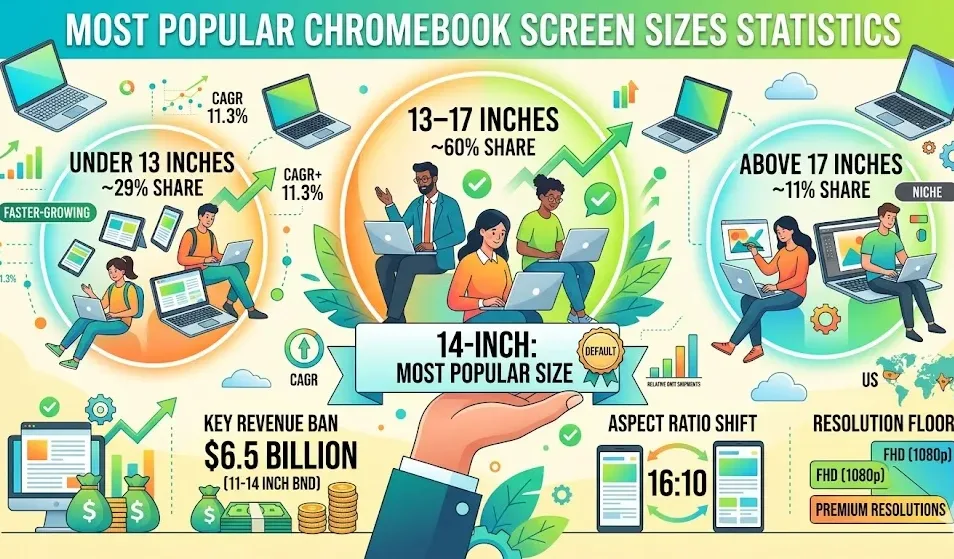
Chromebooks with 13–17-inch displays account for roughly 60% of unit sales, making them the most popular size category. Among individual options, the 14-inch Chromebook remains the top choice for buyers.
-
Free Spins Are No Longer Just a Welcome Bonus

For most of the past decade, free spins lived in one place — the welcome offer. New player signs up, deposits, claims a packet of spins on a featured slot, moves on. That arrangement is still around, but it now describes only a slice of where free spins actually appear.
-
Cloud-Based Web Development: How to Test Global Web Apps Right From Your Chromebook

Chromebooks have moved far beyond basic browser work. For developers, QA engineers, and product teams, they can support real web app testing through cloud IDEs, remote servers, container tools, browser-based dashboards, and secure proxy access.
-
Fix: Chrome Dock Icon Stuck in Light Mode on macOS

macOS Auto-Appearance is supposed to handle everything automatically. But Chrome’s Dock icon sometimes refuses to follow along, staying bright white while the rest of your UI goes dark. The fix does not require a restart and will not close your open tabs.
-
Emulate device capabilities with Chrome DevTools for agents
Explore how to test websites more effectively using Chrome DevTools for agents’ powerful emulation tools. This video demonstrates how to mimic various user conditions, including device type, location, and network speeds. Learn practical applications for automating responsive design checks and identifying interaction bugs.
Welcome to the ChromeOSphere
Your one-stop hub for all things Chrome OS and Chrome browser. Our mission is simple: to keep you connected with the pulse of this ever-evolving digital realm. From the latest updates on Chrome, ChromeOSphere brings together the diverse voices of the Chrome world.