
-
We have been uncovering more and more details about the upcoming Googlebook hardware over the last few weeks, but the actual software running on these premium Android-powered laptops has remained a bit of a mystery.
-
We have been uncovering more and more details about the upcoming Googlebook hardware over the last few weeks, but the actual software running on these premium Android-powered laptops has remained a bit of a mystery.
-

If you’ve owned a Chromebook over the past several years, there is a very high probability you’ve run headfirst into one of the platform’s most aggravating compromises: streaming video quality and offline downloads. On paper, a high-end Chromebook or 2-in-1 convertible should be the ultimate portable media device.
-
If you’ve owned a Chromebook over the past several years, there is a very high probability you’ve run headfirst into one of the platform’s most aggravating compromises: streaming video quality and offline downloads. On paper, a high-end Chromebook or 2-in-1 convertible should be the ultimate portable media device.
-
If you’ve owned a Chromebook over the past several years, there is a very high probability you’ve run headfirst into one of the platform’s most aggravating compromises: streaming video quality and offline downloads. On paper, a high-end Chromebook or 2-in-1 convertible should be the ultimate portable media device.
-
For over a decade and a half, Chrome’s powerful and versatile address bar (affectionately known as the Omnibox) has lived in one place: permanently pinned to the top of your active browser window.
-
For over a decade and a half, Chrome’s powerful and versatile address bar (affectionately known as the Omnibox) has lived in one place: permanently pinned to the top of your active browser window.
-

For those of you who simply want the best deals on any given day in one place that is easy to see, understand, and digest, this will be your spot.
-
For those of you who simply want the best deals on any given day in one place that is easy to see, understand, and digest, this will be your spot.
-
For those of you who simply want the best deals on any given day in one place that is easy to see, understand, and digest, this will be your spot.
-
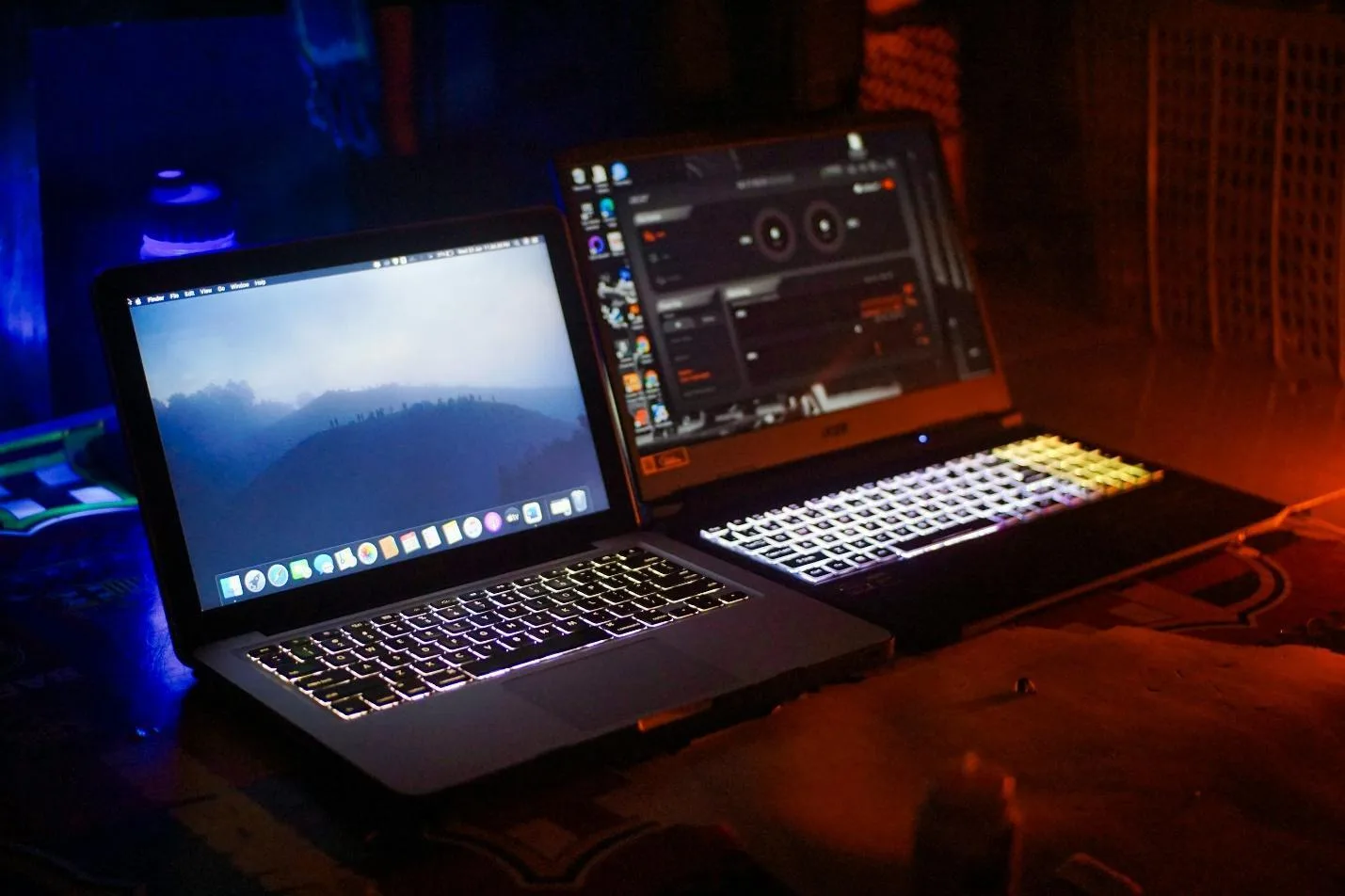
League of Legends is an eSport that moves very fast. The drafts can switch in just a few seconds, and the odds fluctuate after every objective is reached. Chromebooks may not be designed to run the PC version of the game because they focus on browser performance, unlike gaming laptops.
-
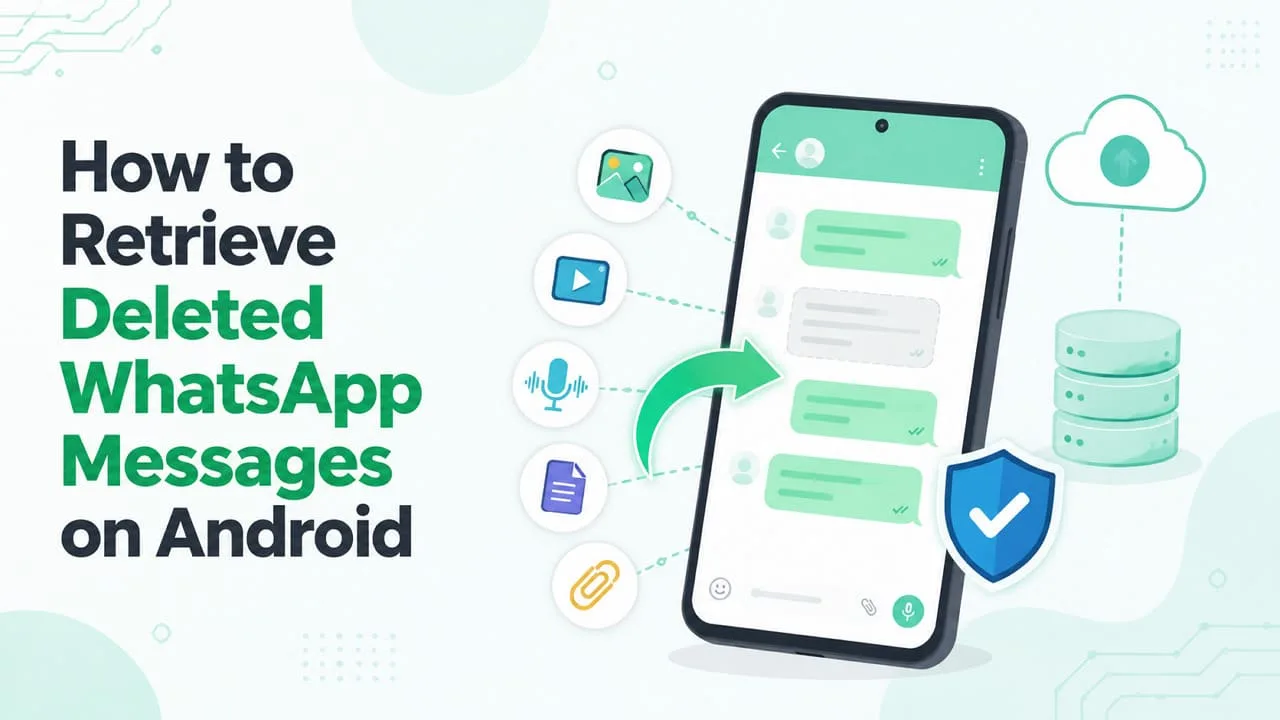
Important WhatsApp chats disappear after accidental deletion, an app crash, or a failed backup. These situations often feel like permanent deletion, but recovery is possible as long as the requirements are met. Hence, this guide explains how messages are deleted or recovered from backups.
-
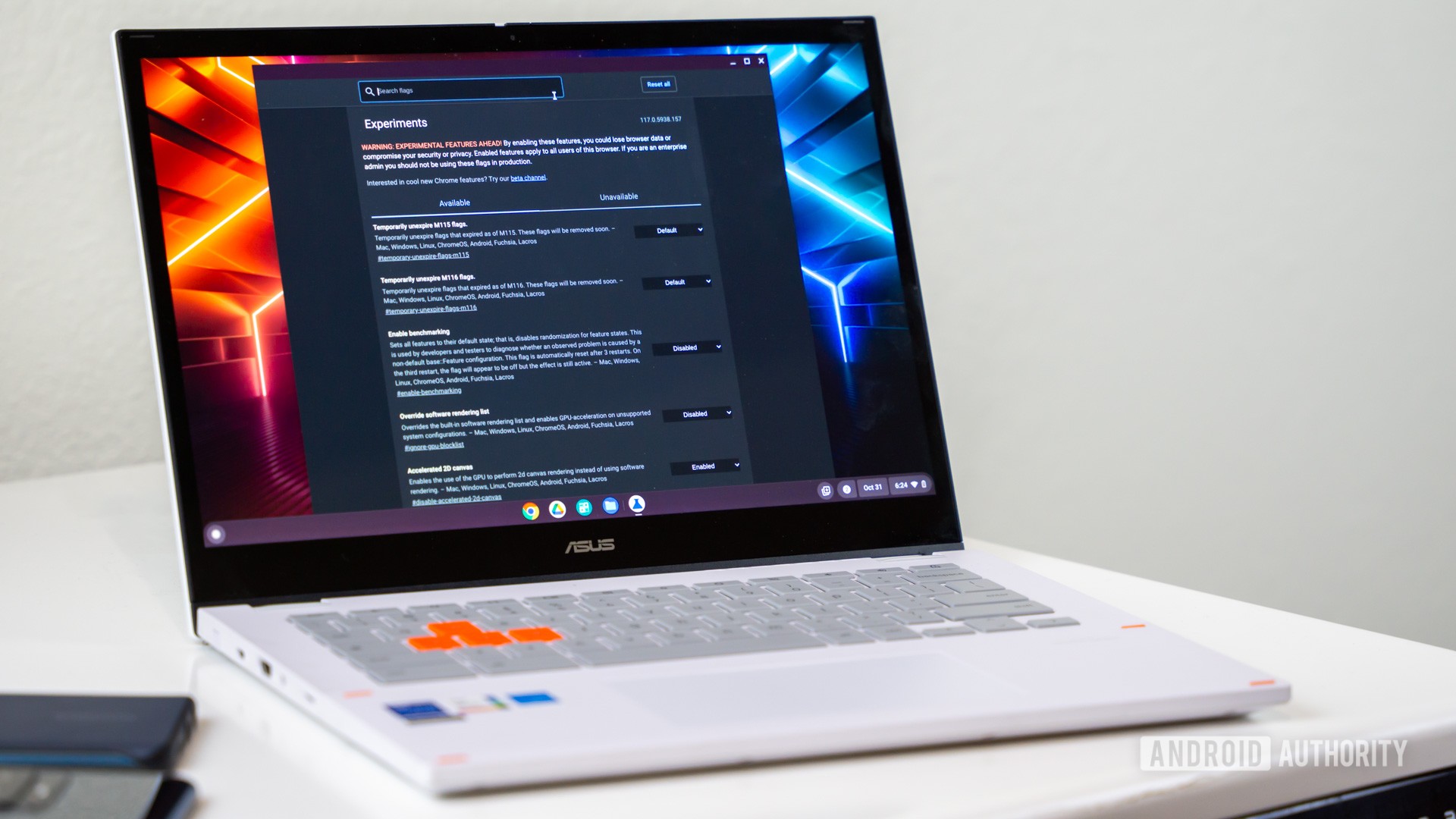
Fix what Chrome gets wrong.
-
As we inch closer to what we expect to be Google’s fall Googlebook showcase, the roster of upcoming devices we expect over the coming months continues to take shape.
-
As we inch closer to what we expect to be Google’s fall Googlebook showcase, the roster of upcoming devices we expect over the coming months continues to take shape.
-

There is no official Chromecast app for Windows, and for most people Chrome is all you need. Here is every way to cast from a PC or laptop: Chrome, Edge, VLC, Plex, and the Windows Store apps, plus a full troubleshooting guide.
-
There is no official Chromecast app for Windows, and for most people Chrome is all you need. Here is every way to cast from a PC or laptop: Chrome, Edge, VLC, Plex, and the Windows Store apps, plus a full troubleshooting guide.
-
There is no Chromecast app for Windows, and you do not need one. Google Chrome is the Chromecast app on a PC. Here is how to cast a tab, your whole screen, or a video file from a Windows laptop to your TV.
-
When internal leaks confirmed that Qualcomm’s mysterious ‘Calypso’ codename in the Chromium Gerrit was actually the 12-core Snapdragon X2 processor, it was easy to assume that we were looking at a single reference flagship. But a new firmware commit I recently spotted in Google’s code repositories paints a different picture.
-
When internal leaks confirmed that Qualcomm’s mysterious ‘Calypso’ codename in the Chromium Gerrit was actually the 12-core Snapdragon X2 processor, it was easy to assume that we were looking at a single reference flagship. But a new firmware commit I recently spotted in Google’s code repositories paints a different picture.
-
The hardware leaks around Google’s upcoming desktop platform just keep coming. Following the recent arrival of leaked press renders for Lenovo’s Googlebook 15 and the sub-1kg ASUS CX9406, new code commits in the Chromium Gerrit reveal that Lenovo isn’t letting off the gas with their Googlebook lineup.
-
The hardware leaks around Google’s upcoming desktop platform just keep coming. Following the recent arrival of leaked press renders for Lenovo’s Googlebook 15 and the sub-1kg ASUS CX9406, new code commits in the Chromium Gerrit reveal that Lenovo isn’t letting off the gas with their Googlebook lineup.
-

TheLifestyleEdge.com reviews often repeat the same praise without answering key reader questions. See what these near-identical reviews leave out.
-
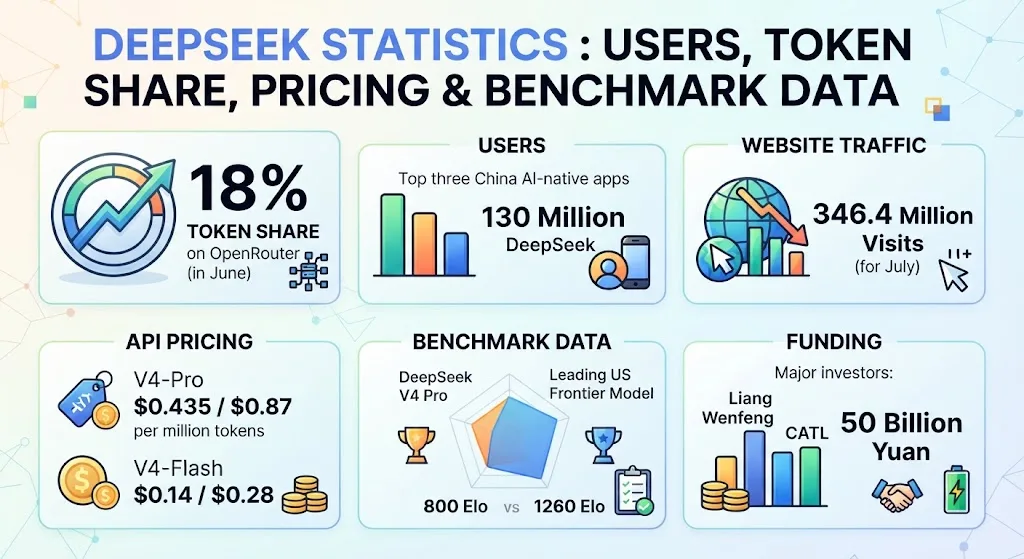
DeepSeek’s OpenRouter token share doubled to 18% by June 2026, even as deepseek.com traffic fell. Explore the contrasting trends in AI usage and web visits.
-
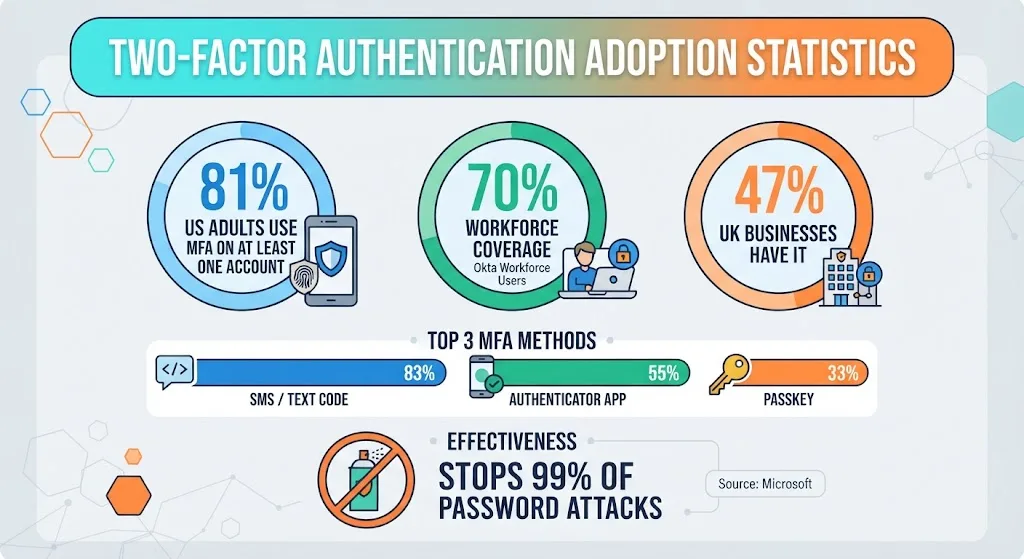
MFA adoption reached 81% among US adults in 2025, while workforce coverage stood at 70%. Compare these figures with the UK’s 47% business adoption rate.
-
A free 30-round Chromebook keyboard shortcuts game for the whole class. No prep, no sound, no accounts. Includes the full answer key and a printable score sheet.
-
Push notifications on the web started with great intentions: letting web apps send you timely, useful updates without needing a dedicated native application. But over the years, bad actors turned that privilege into a chaotic mess of fake virus warnings, deceptive spam prompts, and relentless pop-ups. They are the worst.
-
When Google launched the original Chromebook over a decade ago, it started from the bottom up. Early hardware was cheap, plastic, and low-powered, cementing an entry-level reputation that even years of Chromebook Plus and premium flagship efforts couldn’t fix. With Googlebook, Google is executing the exact opposite playbook.
-
When Google launched the original Chromebook over a decade ago, it started from the bottom up. Early hardware was cheap, plastic, and low-powered, cementing an entry-level reputation that even years of Chromebook Plus and premium flagship efforts couldn’t fix. With Googlebook, Google is executing the exact opposite playbook.
-
When Google launched the original Chromebook over a decade ago, it started from the bottom up. Early hardware was cheap, plastic, and low-powered, cementing an entry-level reputation that even years of Chromebook Plus and premium flagship efforts couldn’t fix. With Googlebook, Google is executing the exact opposite playbook.
-
The Beta channel is being updated to OS version 16765.19.0 (Browser version 152.0.7977.39) for most ChromeOS devices.
-
The Beta channel is being updated to OS version 16765.19.0 (Browser version 152.0.7977.39) for most ChromeOS devices.
-
Learn how to create a custom weather Chrome Extension using the Modern Web Guidance extensions skill and Chrome DevTools for agents to boost a coding agent like Antigravity. By combining best-practice context with automated debugging in the browser, you can eliminate the manual friction of extension development.
-
Over the last few weeks, the initial Googlebook leaks have centered heavily on what will likely turn out being higher-end, more expensive hardware.
-
Over the last few weeks, the initial Googlebook leaks have centered heavily on what will likely turn out being higher-end, more expensive hardware.




Welcome to the ChromeOSphere
Your one-stop hub for all things Chrome OS and Chrome browser. Our mission is simple: to keep you connected with the pulse of this ever-evolving digital realm. From the latest updates on Chrome, ChromeOSphere brings together the diverse voices of the Chrome world.