
Weekly Issue: 2023-31
-
Google is changing the way Chrome handles downloads with a new tray


For years, the Chrome browser has used a tray at the bottom of the screen to handle active and completed downloads: a unique quirk that has begun to age a bit in light of other browsers simply tucking them behind a button or another menu.
-
PSA: Android Nearby Share lets you transfer entire folders full of content over the air

There’s an interesting feature in Android’s Nearby Share that was first pointed out by Nail Sadykov and later mentioned by Mishaal Rahman. It turns out that you can share more than just individual files over the air, you can share entire folders full of content!
-
AttackIQ’s new products aim to democratize security testing for everyone

Security optimization platform company AttackIQ Inc. today announced AttackIQ Flex, AttackIQ Ready! and AttackIQ Enterprise, a range of new products that are designed to democratize testing for everyone.
-
Google Search adds images and video as well as source links in its generative AI snapshots

Google’s Search Generative Experience (SGE), which is a part of the company’s Labs experiment right now and introduces AI-based “snapshots” as results for your search query, is introducing some nice little upgrades. First up is the inclusion of photos and videos in said snapshots.
-
Chrome for Android and iOS adds a few useful Search features and one I could live without

Per a new Google Keyword blog post, Chrome Mobile is enhancing its user experience with the introduction of four new Search-centric features on both Android and iOS. First, new search suggestions will appear when you tap on the address bar.
-
Chrome for Android Update

Hi, everyone! We’ve just released Chrome 115 (115.0.5790.166) for Android: it’ll become available on Google Play over the next few days.This release includes stability and performance improvements. You can see a full list of the changes in the Git log.
-
Dev Channel Update for ChromeOS / ChromeOS Flex
The Dev channel is being updated to OS version: 15563.0.0 Browser version: 117.0.5920.0 for most ChromeOS devices.If you find new issues, please let us know one of the following waysFile a bugVisit our ChromeOS communitiesGeneral: Chromebook Help CommunityBeta Specific: ChromeOS Beta Help CommunityReport an issue or send feedback on ChromeInterested in switching channels? Find out how.
-
Stable Channel Update for Desktop
The Stable channel has been updated to 115.0.5790.170 for Mac and Linux and 115.0.5790.170/.171 for Windows, which will roll out over the coming days/weeks. A full list of changes in this build is available in the log.
-
The folding OnePlus Open may get delayed, but it’s not all bad news

The foldable phone market here in the US is busier than it has ever been.
-
Scope out a YouTube video before even clicking on it with this AI-generated summary experiment

If you’ve ever been lured into clicking a video with a “captivating” thumbnail only to be disappointed by the actual content, YouTube’s latest feature may be of interest to you. Team YouTube officially dropped a new experiment today – video summaries automatically generated by artificial intelligence.
-
Chrome Beta for iOS Update
Hi everyone! We’ve just released Chrome Beta 116 (116.0.5845.60) for iOS; it’ll become available on App Store in the next few days.You can see a partial list of the changes in the Git log. If you find a new issue, please let us know by filing a bug.Erhu AkpobaroGoogle Chrome
-
Google is curiously adding a “Read aloud” feature to Chrome that doesn’t require the Assistant

Remember the Google Assistant’s “Read It” feature that basically turned the internet into an audio book? Maybe you do, maybe you don’t, but the concept is not only solid; it actually works extremely well.
-
4 new Chrome mobile features to quickly find information


Check out four new mobile Chrome features to help you easily look up the information you need.
-
ChromeOS might split the browser from the OS starting later this month


ChromeOS is preparing to split the Chrome browser from the operating system itself in the weeks to come, long after the effort was first started by Google.
-
How to install and use Citrix Workspace on your Chromebook in 2023

Google has done a lot in recent years to turn Chromebooks into more diverse, capable machines, but millions of businesses, schools, and people across the globe use Citrix Workspace to remotely tap into the extensive power of full on Windows and Mac desktops and crush work.
-
Google Domains may belong to Squarespace, but WordPress still wants a cut of the customer base

Squarespace is soaking up its victory after acquiring Google Domains – something we recently covered when the news dropped (and quite honestly shocked me despite Google’s reputation). This hefty deal puts Squarespace in direct competition with WordPress.com, Bluehost, and other hosting providers.
-
Chrome 116 to introduce ‘One-time permissions’ for greater control over websites
Starting with Chrome 116, Google will add an “Allow this time” option to permission prompts. This option will be available for Chrome on the desktop for some of the common permissions such as Geolocation, Camera, and Microphone.
-
Chrome 116 to introduce ‘One-time permissions’ for greater control over websites


Starting with Chrome 116, Google will add an “Allow this time” option to permission prompts. This option will be available for Chrome on the desktop for some of the common permissions such as Geolocation, Camera, and Microphone.
-
Google could take the ‘Chrome’ out of ‘Chrome OS’ very soon

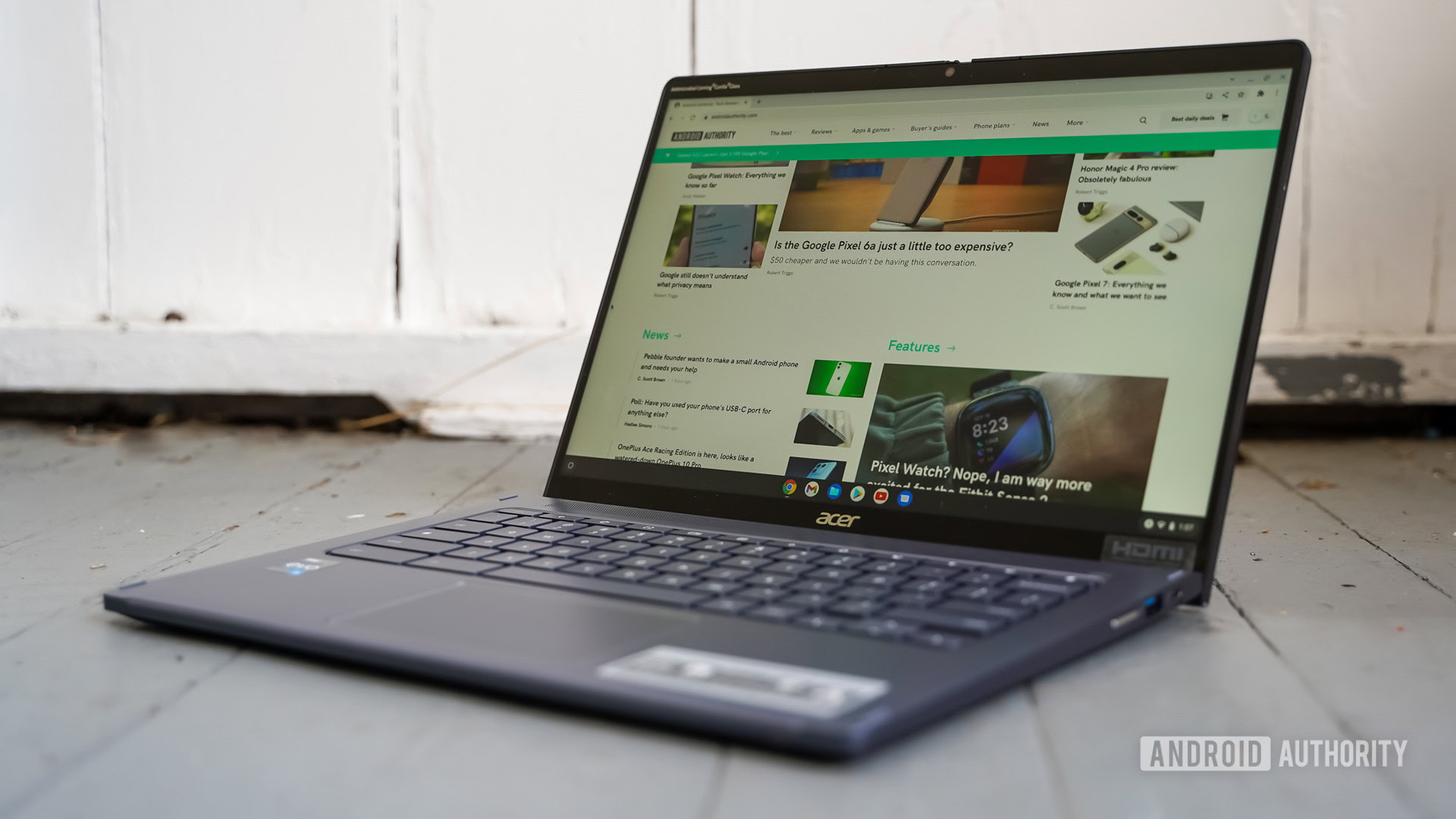
Google could separate Chrome from Chrome OS very soon, enabling faster browser updates in theory.
-
Chrome 116 to introduce ‘One-time permissions’ for greater control over websites
Google to lauch one time permissions for Chrome on desktop with “Allow this time” option. This will be available for Geolocation, Camera, and Microphone.
-
Chrome 116 to introduce ‘One-time permissions’ for greater control over websites
Google to lauch one time permissions for Chrome on desktop with “Allow this time” option. This will be available for Geolocation, Camera, and Microphone.
-
Chrome 116 to introduce ‘One-time permissions’ for greater control over websites
Google to lauch one time permissions for Chrome on desktop with “Allow this time” option. This will be available for Geolocation, Camera, and Microphone.
-
Chrome 116 to introduce ‘One-time permissions’ for greater control over websites
Google to lauch one time permissions for Chrome on desktop with “Allow this time” option. This will be available for Geolocation, Camera, and Microphone.
-
Chrome 116 to introduce ‘One-time permissions’ for greater control over websites
Google to lauch one time permissions for Chrome on desktop with “Allow this time” option. This will be available for Geolocation, Camera, and Microphone.
-
Topics API – New in Chrome 115

Watch the full video → https://goo.gle/3OBmkj1 Catch the latest → https://goo.gle/NewInChrome Subscribe to Google Chrome Developers → https://goo.gle/ChromeDevs #NewInChrome
-
Progressive Web Apps (PWAs): Web apps beyond the browser

Businesses have been serving their users, across devices and platforms, by leveraging the web platform. PWAs provide the toolbox for businesses to take their web apps beyond the browser. With PWAs, apps can be installed and used in a standalone window, retaining their own branding and identity.
-
Chrome extension manifest V2-V3 migration

An extension manifest gives the browser information about the extension, such as the most important files and the capabilities the extension might use. Manifest is migrating from version 2 to version 3.
-
Chrome as an independent app on ChromeOS

ChromeOS is moving towards a more modular architecture starting mid 2023, where the browser is an independent app – a component of the OS platform. Rollout of the new architecture will be deliberate.
-
Google may finally be ready to decouple Chrome from ChromeOS with the 116 update

Over the past two years, Google has been working on a project known as Lacros, a move aimed at separating the Chrome browser from ChromeOS.
-
How to copy and paste on a Chromebook like a pro [VIDEO]
![How to copy and paste on a Chromebook like a pro [VIDEO]](https://chromeunboxed.com/wp-content/uploads/2023/08/HowToCopyPasteChromebookFeature.jpg)
One of the most common inquiries we receive about Chromebooks involves the copy and paste function. Though the shortcuts for these actions are pretty cut and dry, Chromebooks now have an advanced copy-pasting technique that is more versatile and useful than the traditional method.
-
Why isn’t z-index working?

Link to podcast → https://goo.gle/3OEfyZN In this episode we explore why z-index isn’t working for you. @UnaKravets and @AdamArgyleInk will teach you about stacking context and how to make sure you’ve set yourself up for layering success!
-
DevOps Awards winner Kakao Mobility on balancing speed and stability

Kakao Mobility is the leading mobility service provider in South Korea, providing taxi services, turn-by-turn directions, public transport, parking space searching, and real-time traffic information to more than 30M users in South Korea.
-
Chrome 116 adds ‘Allow this time’ option for sites accessing your camera, mic and location

Chrome 116 drops later this month, and Google is introducing a new feature called “Allow this time,” aimed at giving you more control over your privacy.
-
Stable Channel Update for ChromeOS / ChromeOS Flex
ChromeOS M115 StableThe Stable channel is being updated to OS version: 15474.70.0 Browser version: 115.0.5790.160 for most ChromeOS devices.If you find new issues, please let us know one of the following waysFile a bugVisit our ChromeOS communitiesGeneral: Chromebook Help CommunityBeta Specific: ChromeOS Beta Help CommunityReport an issue or send feedback on ChromeInterested in switching channels?
-
You’ve been using Google Calendar wrong all along: Don’t just schedule experiences, capture them

We live in a fast-paced world where planning for the future has become second nature to us. Google Calendar has been our trusty companion in scheduling upcoming events, meetings, and gatherings.
Welcome to the ChromeOSphere
Your one-stop hub for all things Chrome OS and Chrome browser. Our mission is simple: to keep you connected with the pulse of this ever-evolving digital realm. From the latest updates on Chrome, ChromeOSphere brings together the diverse voices of the Chrome world.