
-

Some enterprises might find that upgrading to newer, more expensive PCs is worth the investment since it appears cheap PCs won’t be coming anytime soon, analysts said.
-
Some enterprises might find that upgrading to newer, more expensive PCs is worth the investment since it appears cheap PCs won’t be coming anytime soon, analysts said.
-

Techdows spotted two major Chrome for Android developments. First, it looks like Google is preparing immersive video playback for Chrome on Android XR, based … [Read more…]
-
Hello Everyone! We’ve just released Chrome 147 (147.0.7727.49) for Android to a small percentage of users. It’ll become available on Google Play over the next few days. You can find more details about early Stable releases here.This release includes stability and performance improvements.
-
To compete with MacBook Neo, Air and Pro, the Snapdragon ‘Calypso’ chip will be crucial for ‘Aluminium OS’
 Issue 2026-14
A few days ago, we broke the news about ‘Calypso’, a new Qualcomm SoC appearing in the Chromium Gerrit alongside a reference board named ‘Mensa’.
-
To compete with MacBook Neo, Air and Pro, the Snapdragon ‘Calypso’ chip will be crucial for ‘Aluminium OS’
Issue 2026-14A few days ago, we broke the news about ‘Calypso’, a new Qualcomm SoC appearing in the Chromium Gerrit alongside a reference board named ‘Mensa’.
-

If you’ve been following our recent coverage, you know the laptop world is currently obsessed with the MacBook Neo. At $599, Apple’s latest entry-level machine has been a sales juggernaut, proving that there is a massive appetite for premium-feeling hardware at a mid-range price.
-
The Stable channel has been updated to 147.0.7727.49/.50 for Windows and Mac as part of our early stable release to a small percentage of users. A full list of changes in this build is available in the log.You can find more details about early Stable releases here.
-
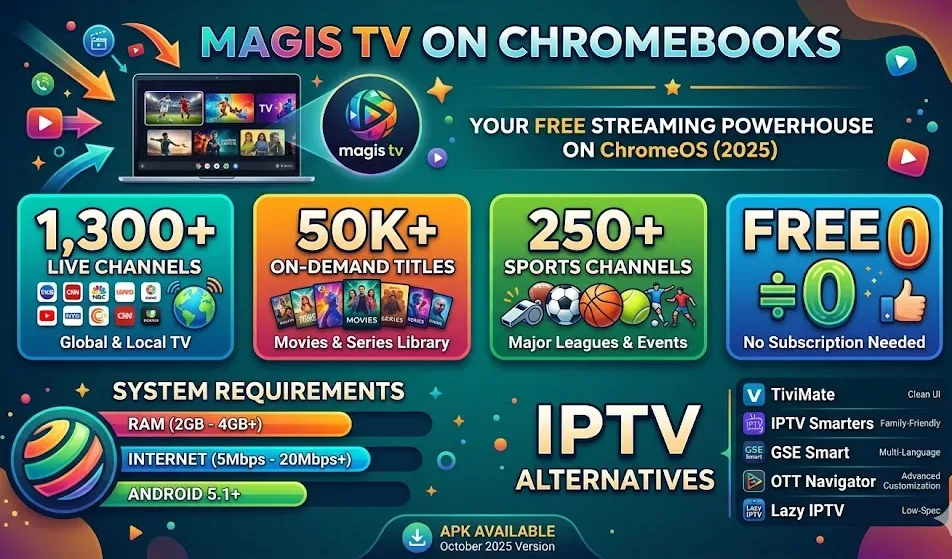
Cable schedules are dead. Magis TV landed in 2025 and gave Android users — Chromebook owners included — access to over 1,300 live channels, 50,000+ on-demand titles, and 250 sports channels with no subscription fee.
-
The Beta channel has been updated to 147.0.7727.49 for Windows, Mac and Linux.A partial list of changes is available in the Git log. Interested in switching release channels? Find out how. If you find a new issue, please let us know by filing a bug.
-
Hi everyone! We’ve just released Chrome Beta 147 (147.0.7727.49) for Android. It’s now available on Google Play.You can see a partial list of the changes in the Git log. For details on new features, check out the Chromium blog, and for details on web platform updates, check here.
-
Just a few days ago, I wrote about a leak showing off Walmart’s upcoming second-generation Onn 4K Pro. But it looks like that Google TV Streamer clone isn’t the only new device Walmart has up its sleeve for 2026.
-
Hi everyone! We’ve just released Chrome Beta 147 (147.0.7727.48) for iOS; it’ll become available on App Store in the next few days.You can see a partial list of the changes in the Git log. If you find a new issue, please let us know by filing a bug.
-
Hi everyone! We’ve just released Chrome Stable 147 (147.0.7727.47) for iOS; it’ll become available on App Store in the next few hours.This release includes stability and performance improvements. You can see a full list of the changes in the Git log.
-

If you’ve ever asked a financial advisor in Malaysia where to put your money, chances are the answer included unit trusts. They’re one of the most widely held investment products in the country—familiar, accessible, and marketed heavily by banks and fund houses.
-
If you’ve ever asked a financial advisor in Malaysia where to put your money, chances are the answer included unit trusts. They’re one of the most widely held investment products in the country—familiar, accessible, and marketed heavily by banks and fund houses.
-
Asana’s chief product officer: Why enterprise AI agents should be ‘multiplayer by design’
 Issue 2026-14
As AI agents become more embedded in workplace tools, Asana is positioning its approach around collaboration rather than individual productivity. “We believe in AI being ‘multiplayer’ by design,” said chief product officer Arnab Bose.
-

Robots are cool, but real productivity from physical AI isn’t as close as boosters are making it out to be, said IT leaders at Nvidia’s GTC developer show last month.
-
Asana’s chief product officer: Why enterprise AI agents should be ‘multiplayer by design’
Issue 2026-14As AI agents become more embedded in workplace tools, Asana is positioning its approach around collaboration rather than individual productivity. “We believe in AI being ‘multiplayer’ by design,” said chief product officer Arnab Bose.
-
Robots are cool, but real productivity from physical AI isn’t as close as boosters are making it out to be, said IT leaders at Nvidia’s GTC developer show last month.
-

Content marketing has spent years chasing traffic.
-

The regulatory body which last year accused Microsoft of inflating its office software’s license prices when it was run on rival cloud platforms to make those platforms less appealing, said Tuesday it will conduct a further investigation into the company’s entire business software ecosystem.
-
The regulatory body which last year accused Microsoft of inflating its office software’s license prices when it was run on rival cloud platforms to make those platforms less appealing, said Tuesday it will conduct a further investigation into the company’s entire business software ecosystem.
-
The ChromeOS Beta channel is being updated to OS version 16610.24.0 (Browser version 147.0.7727.45) for most ChromeOS devices.
-
This video highlights the latest updates in Chrome DevTools from versions 145 to 147. Learn about new performance features for single-page applications, including improved tracking for soft navigations. Discover how to debug styles more effectively for web components and explore new functionalities for the Chrome DevTools MCP server.
-
Hi, everyone! We’ve just released Chrome 146 (146.0.76380.177) for Android. It’ll become available on Google Play over the next few days. This release includes stability and performance improvements. You can see a full list of the changes in the Git log.
-
The Stable channel has been updated to 146.0.7680.177/178 for Windows/Mac and 146.0.7680.177 for Linux, which will roll out over the coming days/weeks. A full list of changes in this build is available in the LogInterested in switching release channels? Find out how here.
-
Since the introduction of Chromebook Plus, the narrative has been pretty simple: if you wanted a fantastic laptop experience for under $600, just buy a Chromebook Plus. Apple simply didn’t play in that sandbox. But the MacBook Neo has changed the rules of the game.
-

It’s no big deal, you’d think, that researchers have found a way to reduce the computing requirements for one of the many steps involved in training an AI model to help robots manipulate simple geometric objects.
-
It’s no big deal, you’d think, that researchers have found a way to reduce the computing requirements for one of the many steps involved in training an AI model to help robots manipulate simple geometric objects.
-
In dynamic cloud environments, unexpected traffic spikes or scheduled scaling events can easily strain user workloads. Whether you’re running a retail application during a flash sale or a gaming platform during peak player activity, your business-critical workloads need to scale up quickly and smoothly to handle new load.
-
Why Healthcare Practices Are Turning to Virtual Assistants to Beat the Admin Crisis in 2026
 Issue 2026-14
Running a medical practice is getting harder every year. Doctors are drowning in paperwork. Staff are burning out. Patients are waiting too long. This is the admin crisis in healthcare today. But many practices found a solution. They are hiring virtual assistants to help.
-
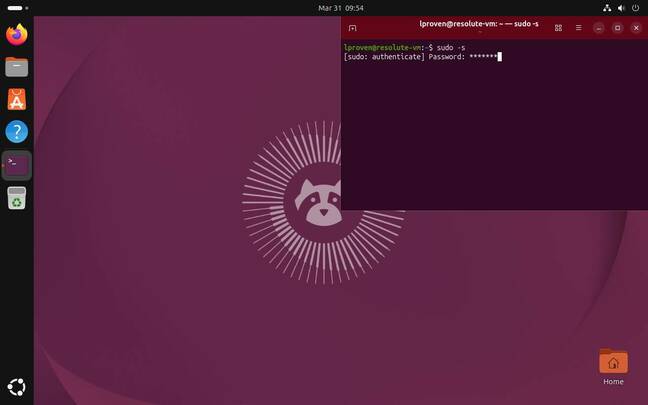
Yep, you read that right. And there’s no official Linux client from Google Canonical has just released the beta of the next Ubuntu LTS – but what’s grabbed the attention of many is that it features GNOME 50 as its default desktop environment.
-
Yep, you read that right. And there’s no official Linux client from Google Canonical has just released the beta of the next Ubuntu LTS – but what’s grabbed the attention of many is that it features GNOME 50 as its default desktop environment.
-

Email messages often travel as .EML files. An EML file is a saved email. It contains the message text, sender details, attachments, and formatting. Programs like Microsoft Outlook, Windows Mail, and Mozilla Thunderbird create these files. On a traditional computer, opening an EML file is simple.





Welcome to the ChromeOSphere
Your one-stop hub for all things Chrome OS and Chrome browser. Our mission is simple: to keep you connected with the pulse of this ever-evolving digital realm. From the latest updates on Chrome, ChromeOSphere brings together the diverse voices of the Chrome world.