
-

What Enterprise Web Design Actually Means in 2026? Enterprise web design in 2026 goes beyond its visual elements. The field functions as a unified practice that integrates product development, user experience design, system performance engineering, and cross-departmental controls to serve various market needs.
-

As enterprises race to adopt AI without sacrificing control or flexibility, open-source infrastructure is the stable foundation that enables organizations to modernize while maintaining full digital sovereignty.
-
As enterprises race to adopt AI without sacrificing control or flexibility, open-source infrastructure is the stable foundation that enables organizations to modernize while maintaining full digital sovereignty.
-

Chromebooks are popular with students and remote workers since they’re light and easy on the budget. So useful, customizable gifts for these users are in strong demand. The best Chromebook gifts are more than just decorative. They are portable, practical, and easy to brand.
-

Google is rolling out many of Chrome’s latest AI features in Australia, Indonesia, Japan, Philippines, Singapore, South Korea and Vietnam.
-
Google is rolling out many of Chrome’s latest AI features in Australia, Indonesia, Japan, Philippines, Singapore, South Korea and Vietnam.
-
The Dev channel is being updated to OS version 16552.42.0 (Browser version 148.0.7778.42) for most ChromeOS devices.
-
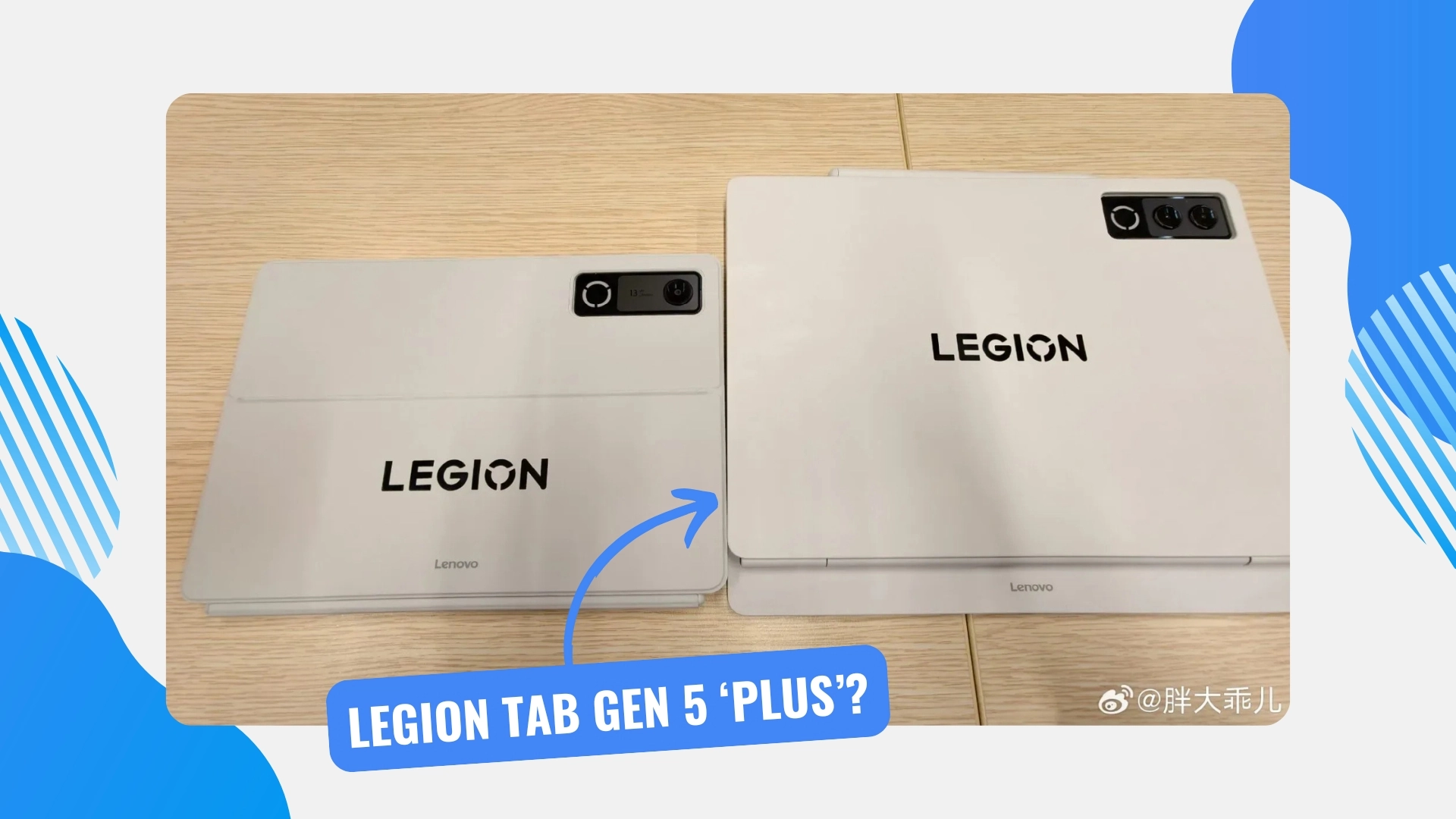
We’ve spent some time recently talking about the upcoming Lenovo Legion Tab Gen 5. The compact, 8.8-inch Android gaming tablet was officially unveiled at MWC last month and brings a massive 9,000 mAh battery alongside the new Snapdragon 8 Elite processor.
-
We’ve spent some time recently talking about the upcoming Lenovo Legion Tab Gen 5. The compact, 8.8-inch Android gaming tablet was officially unveiled at MWC last month and brings a massive 9,000 mAh battery alongside the new Snapdragon 8 Elite processor.
-

Google Vids has been a fantastic addition to the Workspace lineup for assembling quick pitch videos and training materials, but relying on standard AI narration can sometimes leave your presentation feeling a bit stiff. That is changing now. Powered by the new Gemini 3.
-
Google Vids has been a fantastic addition to the Workspace lineup for assembling quick pitch videos and training materials, but relying on standard AI narration can sometimes leave your presentation feeling a bit stiff. That is changing now. Powered by the new Gemini 3.
-
If you’ve ever sat in a Google Meet call on a beautiful 4K monitor or a high-resolution Chromebook Plus display and wondered why everyone’s image looked a little soft, Google has some good news for you.
-
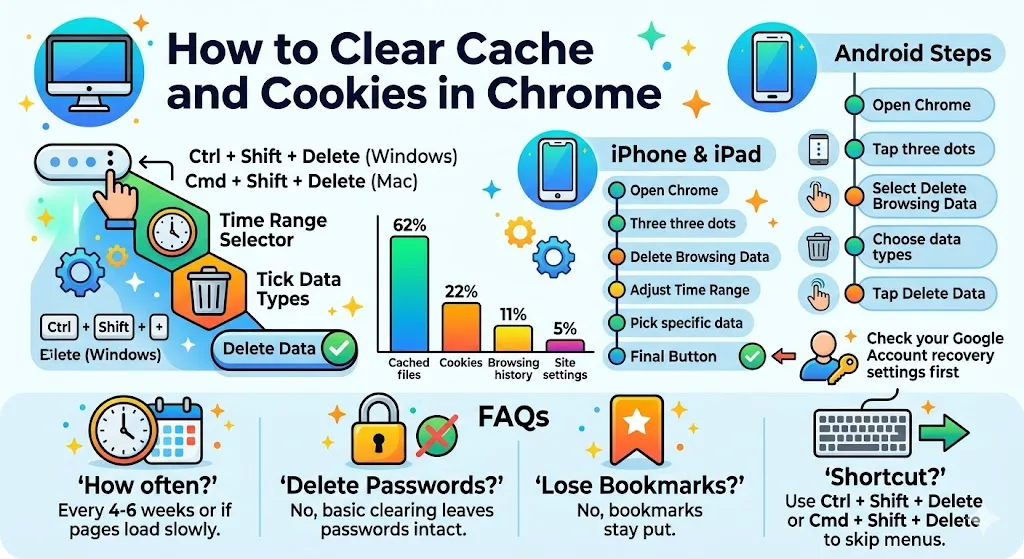
Chrome stores cookies and cached files to improve browsing speed and keep you signed in across visits. This helps deliver a smoother, more seamless user experience.
-
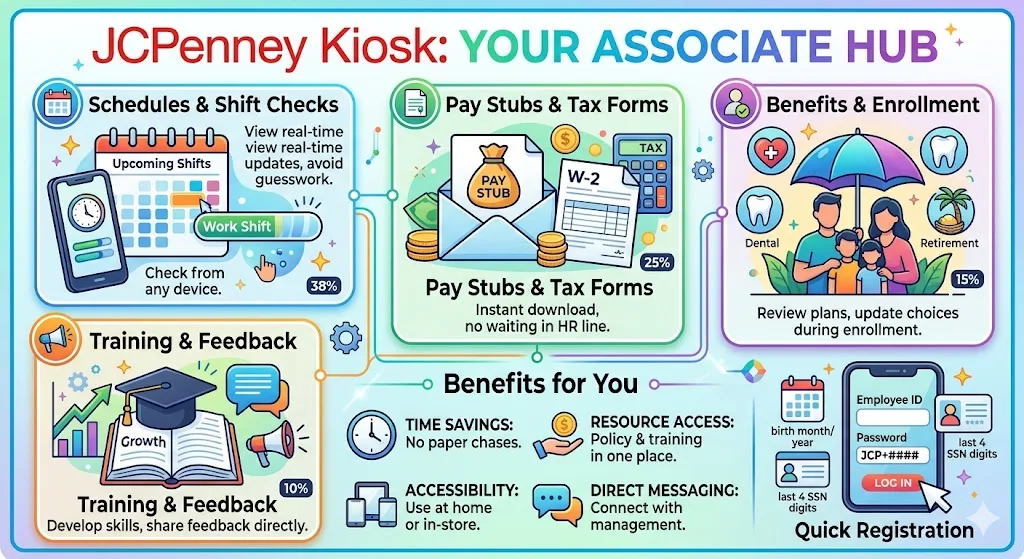
JCPenney Kiosk simplifies work life for associates by centralizing schedules, pay details, company updates, training, and communication in one easy-to-use web portal. Stay organized and connected with the tools you need in one place.
-
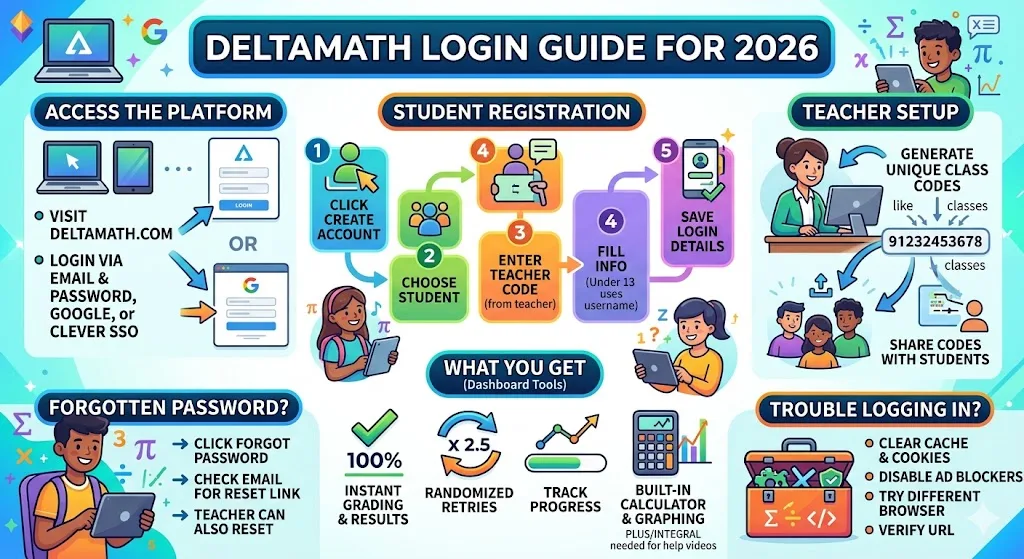
DeltaMath is a web-based learning platform serving grades 6–12, with over two million students using it during the 2024–2025 school year. It offers interactive math practice, assignments, and analytics for both students and teachers.
-

The iGaming industry has been around for a while, making it important for game developers to continue producing games players want to enjoy. The longevity of the industry does mean that developers risk stagnating, offering the same games over and over, wrapped in a different theme or skin.
-
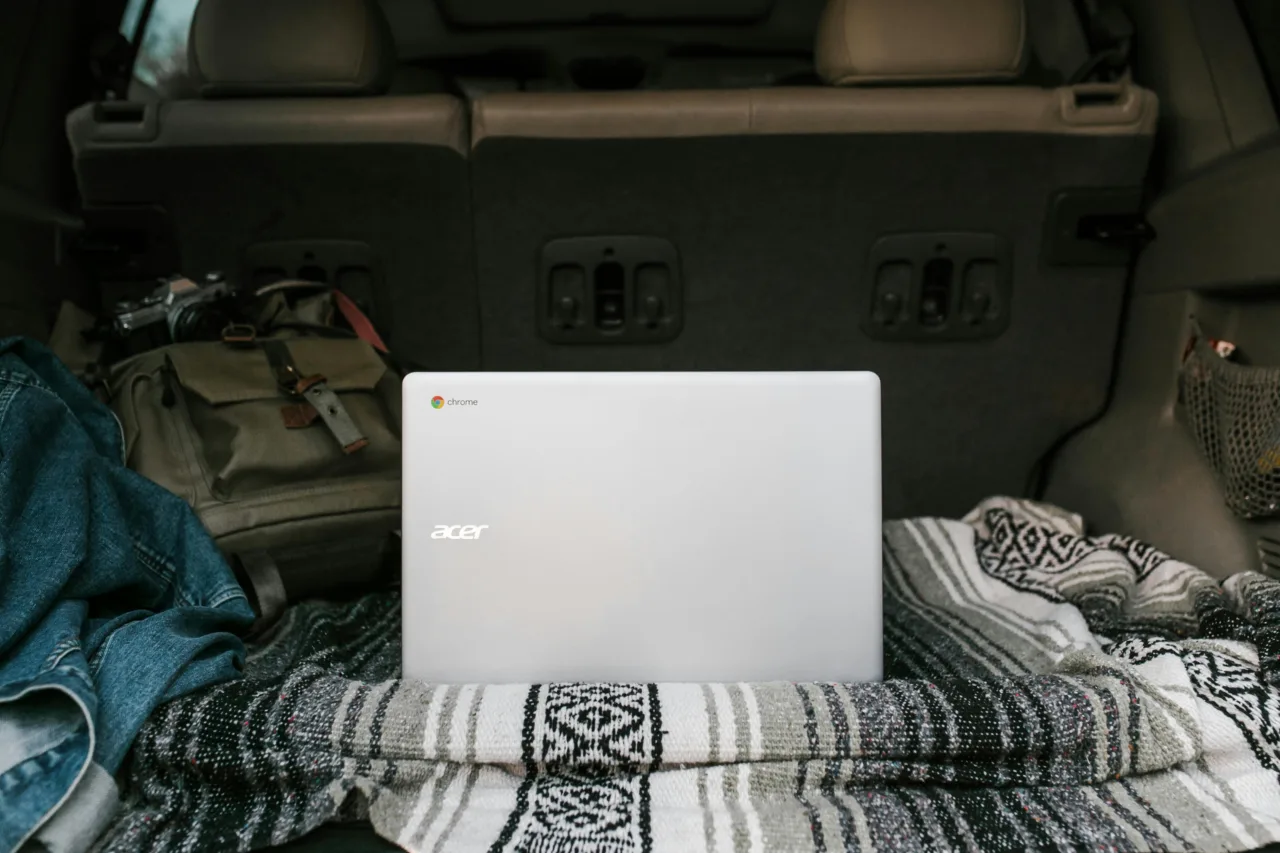
Chromebooks are incredibly popular for a simple reason: they just work. Open the lid, and the machine is ready in seconds, making them ideal for everyday tasks like paying bills or streaming movies. However, keeping your personal data safe still requires some effort, as cyber threats continue to evolve.
-

As Chromebooks and ChromeOS continue to evolve into powerful productivity ecosystems, users are increasingly relying on lightweight, browser-based tools that enhance workflow without heavy installations.
-
Lenovo officially unveiled the upcoming Legion Tab Gen 5 at MWC in Barcelona last month, but the company has now posted a dedicated landing page for their next compact Android gaming tablet.
-
Lenovo officially unveiled the upcoming Legion Tab Gen 5 at MWC in Barcelona last month, but the company has now posted a dedicated landing page for their next compact Android gaming tablet.
-
Lenovo’s compact and powerful Legion Tab Gen 3 is currently marked down to $399 directly on their website. This is a huge discount from its original retail price and makes it one of the most compelling small Android tablets on the market right now.
-
Lenovo’s compact and powerful Legion Tab Gen 3 is currently marked down to $399 directly on their website. This is a huge discount from its original retail price and makes it one of the most compelling small Android tablets on the market right now.
-
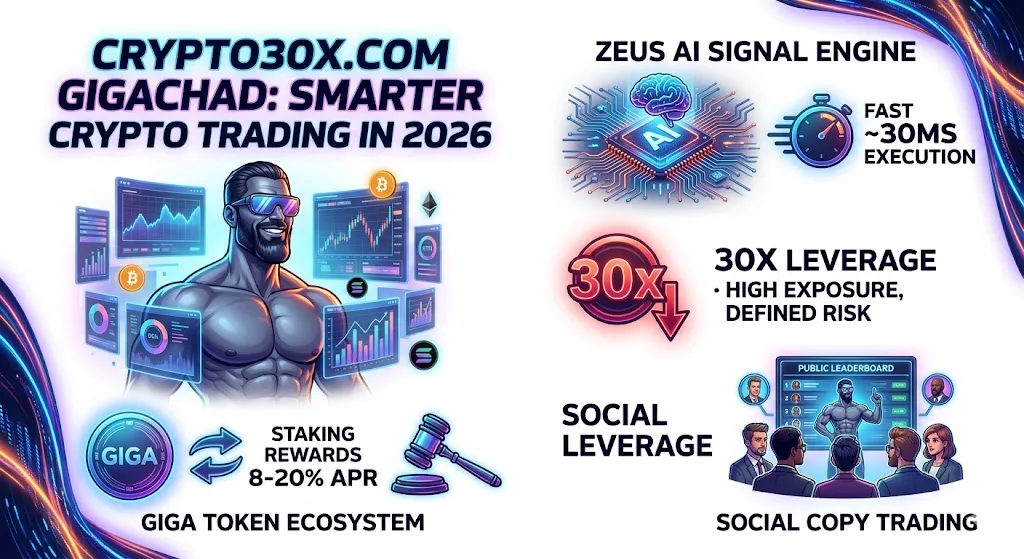
Crypto30x.com Gigachad is a leveraged cryptocurrency trading platform combining an AI-powered signal engine with meme-driven branding and a native token ecosystem. It reflects the growing fusion of advanced trading tools with community-focused crypto culture.
-
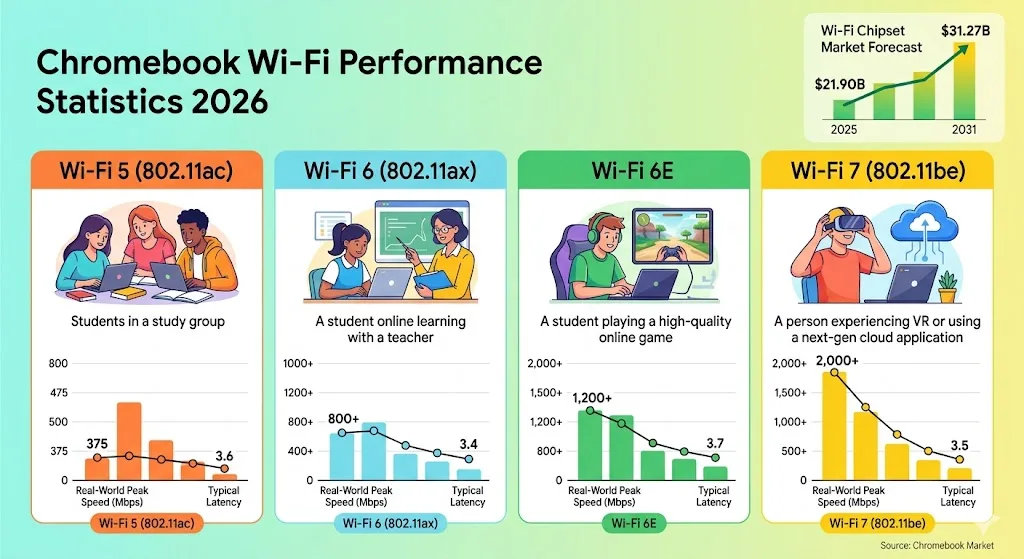
The Wi-Fi 6E and Wi-Fi 7 chipset market reached $40.5 billion in 2025 and is projected to grow to $100.48 billion by 2030, according to Research and Markets. This rapid expansion reflects rising demand for faster, next-generation wireless connectivity worldwide.
-
A new LTS-138 version 138.0.7204.310 (Platform Version: 16295.95.0), is being rolled out for most ChromeOS devices. This version includes selected security fixes including:490118036 Medium CVE-2026-5291 Inappropriate implementation in WebGL.491516670 High CVE-2026-4679 Integer overflow in Fonts. Reported by GF,487117772 High CVE-2026-4449 Use after free in Blink.
-
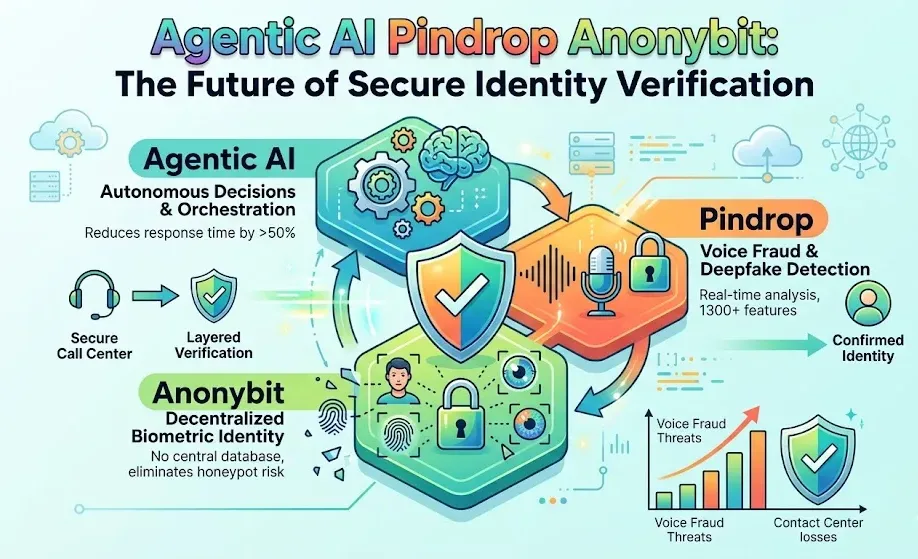
Contact centers reported around 2.6 million fraud incidents in 2024, totaling an estimated $12.5 billion in losses. With attempts occurring every 46 seconds, fraud has become a constant and growing threat.
-

Windows admins are going to be busy this month, dealing with the largest Patch Tuesday cycle we can recall. The April release involves 165 updates and roughly 340 unique CVEs from Microsoft — including two zero-days, one of which is already being actively exploited in the wild.
-
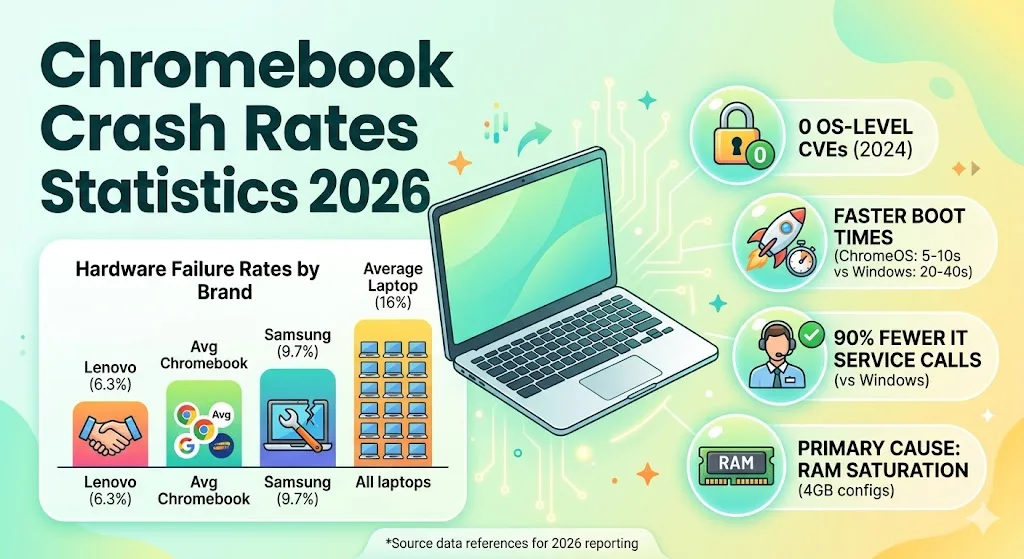
ChromeOS recorded zero OS-layer CVEs throughout 2024, highlighting its strong security posture. An Intel study also found it generates 90% fewer hardware-related IT service calls than Windows.
-
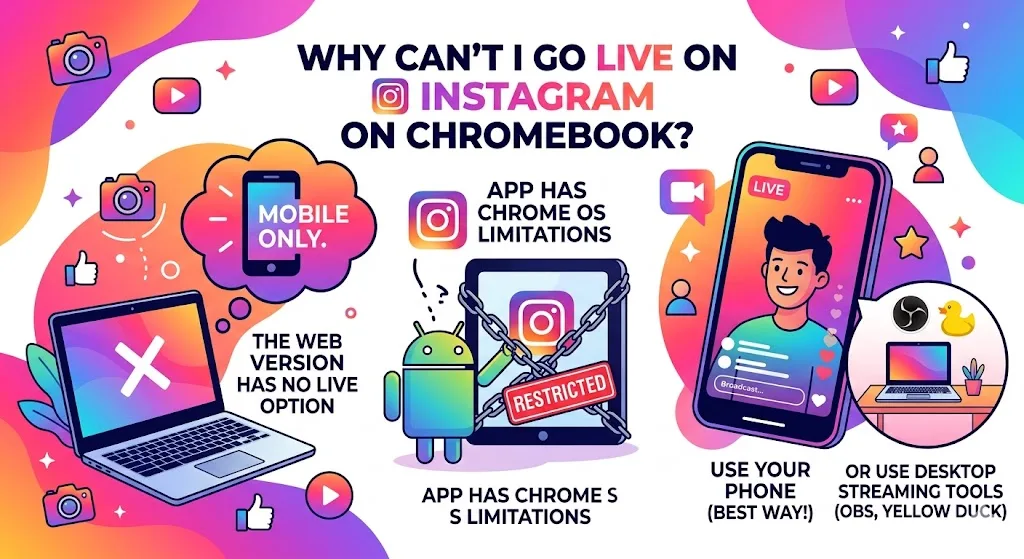
Trying to go live on Instagram from a Chromebook isn’t as straightforward as expected. The platform lacks native support, leaving users searching for workarounds to start a live session.
-
Editor’s note: In this post, we share joint insights from Raj Gulani, Director of Product Management for Network Experiences, and Dan Rayburn, Industry analyst with 30-plus years of experience covering streaming media.
-
Editor’s note: In this post, we share joint insights from Raj Gulani, Director of Product Management for Network Experiences, and Dan Rayburn, Industry analyst with 30-plus years of experience covering streaming media.
-
The Dev channel has been updated to 149.0.7795.2 for Windows, Mac and Linux.A partial list of changes is available in the Git log. Interested in switching release channels? Find out how. If you find a new issue, please let us know by filing a bug.
-
‘Sapphire’ enters final testing phase, and it may star at Google’s August hardware event
 Issue 2026-16
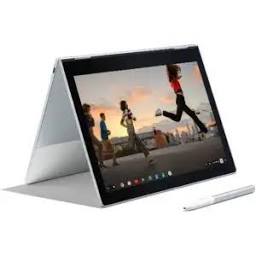
If you’ve been following our coverage of Project Aluminium (Google’s ambitious plan to re-baseline ChromeOS on a desktop-class Android foundation) you know that the hardware has been one of the biggest question marks.
-
‘Sapphire’ enters final testing phase, and it may star at Google’s August hardware event
Issue 2026-16If you’ve been following our coverage of Project Aluminium (Google’s ambitious plan to re-baseline ChromeOS on a desktop-class Android foundation) you know that the hardware has been one of the biggest question marks.
-
If you miss the days of dedicated notification LEDs, you are going to love the latest Android leak. The team at 9to5Google recently tore down Android 17 Beta 4 and uncovered a feature explicitly branded as Pixel Glow.





Welcome to the ChromeOSphere
Your one-stop hub for all things Chrome OS and Chrome browser. Our mission is simple: to keep you connected with the pulse of this ever-evolving digital realm. From the latest updates on Chrome, ChromeOSphere brings together the diverse voices of the Chrome world.