
Weekly Issue: 2026-27
-
Venus AI Explained: Roleplay Chatbot Platform Of 2026
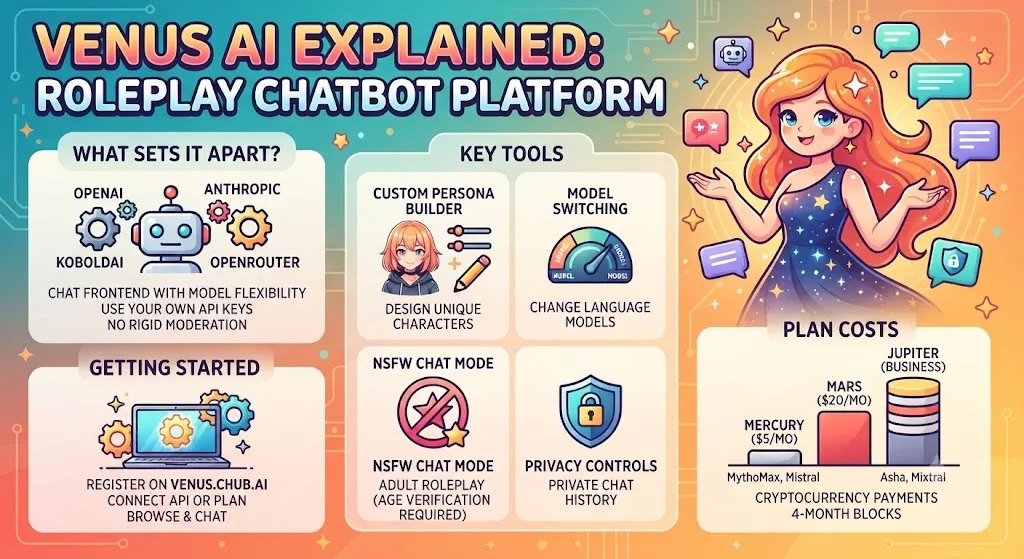
Discover Venus AI, a roleplay chatbot with over 60,000 community-created AI characters powered by external language models for anime, gaming, fiction, and more.
-
Google Sheets finally adds proper support for imported 3D bar charts

Migrating complex spreadsheets from Microsoft Excel into Google Workspace has always been a fairly smooth process, but it occasionally came with a few frustrating formatting hiccups. One of the most persistent visual issues involved 3D data visualization.
-
Google Sheets finally adds proper support for imported 3D bar charts
Migrating complex spreadsheets from Microsoft Excel into Google Workspace has always been a fairly smooth process, but it occasionally came with a few frustrating formatting hiccups. One of the most persistent visual issues involved 3D data visualization.
-
Google Sheets finally adds proper support for imported 3D bar charts
Migrating complex spreadsheets from Microsoft Excel into Google Workspace has always been a fairly smooth process, but it occasionally came with a few frustrating formatting hiccups. One of the most persistent visual issues involved 3D data visualization.
-
Unboxing the brand new Gemini-powered Google Home Speaker [VIDEO]
![Unboxing the brand new Gemini-powered Google Home Speaker [VIDEO]](https://chromeunboxed.com/wp-content/uploads/2026/05/Header-Full-Graphic-9.webp)
It is funny how things eventually come full circle. After years of navigating the somewhat confusing naming conventions of Nest Audio, Google Home Minis, and the Google Home Max, Google is officially bringing back the core branding.
-
Unboxing the brand new Gemini-powered Google Home Speaker [VIDEO]
It is funny how things eventually come full circle. After years of navigating the somewhat confusing naming conventions of Nest Audio, Google Home Minis, and the Google Home Max, Google is officially bringing back the core branding.
-
Unboxing the brand new Gemini-powered Google Home Speaker [VIDEO]
It is funny how things eventually come full circle. After years of navigating the somewhat confusing naming conventions of Nest Audio, Google Home Minis, and the Google Home Max, Google is officially bringing back the core branding.
-
Unboxing the brand new Gemini-powered Google Home Speaker [VIDEO]
It is funny how things eventually come full circle. After years of navigating the somewhat confusing naming conventions of Nest Audio, Google Home Minis, and the Google Home Max, Google is officially bringing back the core branding.
-
Chrome Beta for Desktop Update

The Chrome team is excited to announce the promotion of Chrome 151 to the Beta channel for Windows, Mac and Linux. Chrome 151.0.7922.
-
How to Crash a Chromebook: Methods That Actually Work in 2026
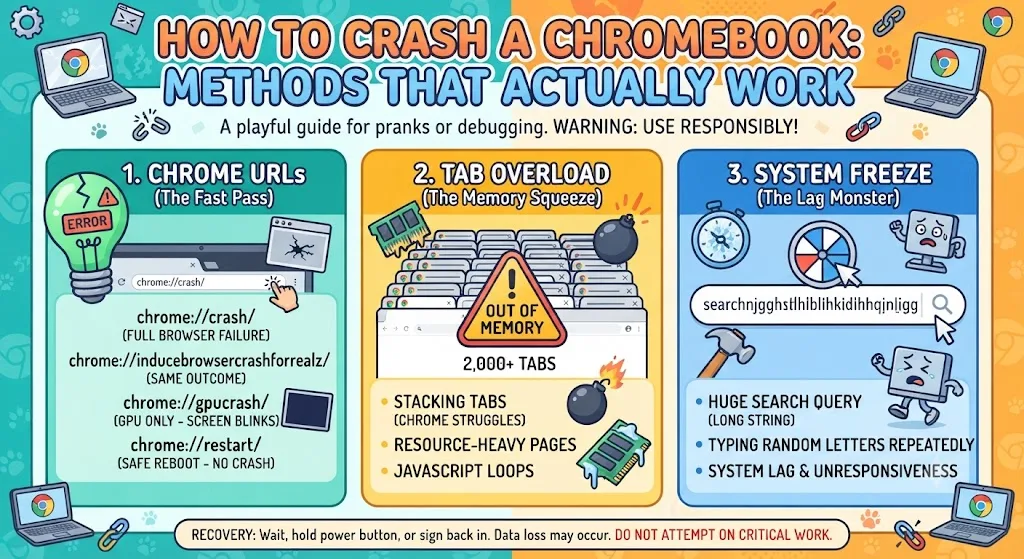
Want to prank a friend or test your device for debugging? Learn how to crash a Chromebook safely using simple methods, plus understand the common software and hardware issues that can cause system crashes.
-
Chrome Dev for Android Update
Hi everyone! We’ve just released Chrome Dev 152 (152.0.7924.0) for Android. It’s now available on Google Play.You can see a partial list of the changes in the Git log. For details on new features, check out the Chromium blog, and for details on web platform updates, check here.
-
Google is finally banning Chrome extensions that let you jailbreak chatbots
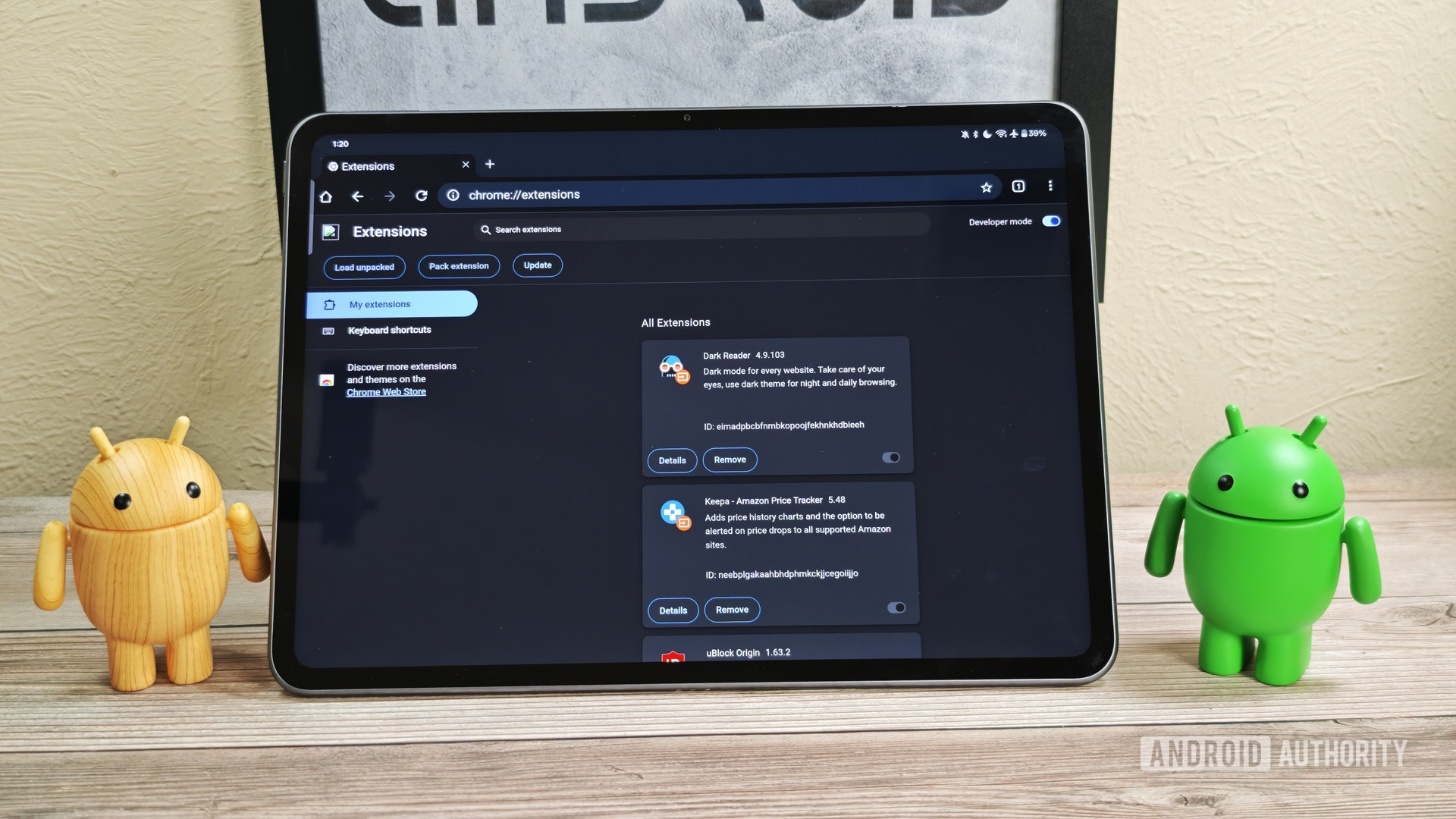
Google gives Chrome extension developers a month to meet new policies.
-
Google is finally banning Chrome extensions that let you jailbreak chatbots
Google gives Chrome extension developers a month to meet new policies.
-
Google is finally banning Chrome extensions that let you jailbreak chatbots
Google gives Chrome extension developers a month to meet new policies.
-
Gemini Spark for Mac: What It Is and How to Turn It On

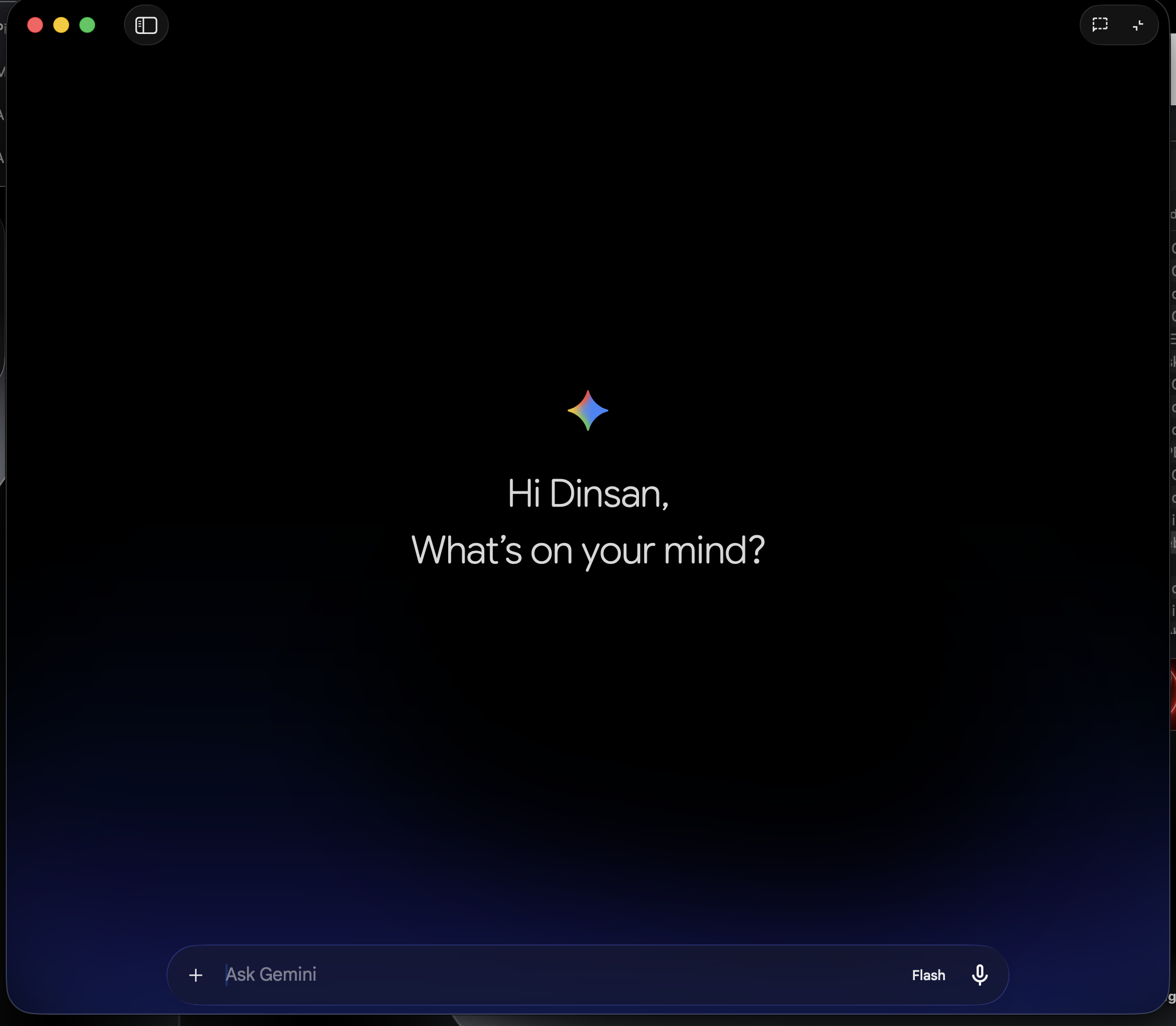
Gemini Spark for Mac is Google’s new AI agent that organizes files and books tasks for you. Here’s who can use it and how to turn it on.
-
Gemini Spark for Mac: What It Is and How to Turn It On
Gemini Spark for Mac is Google’s new AI agent that organizes files and books tasks for you. Here’s who can use it and how to turn it on.
-
What Is Chrome Kiosk Mode? (And How to Set It Up)

Chrome kiosk mode locks your browser or Chromebook to one site or app. Here’s how it works, the two ways to set it up, and how to exit when you’re done.
-
How AI Makes Image Editing More Precise?
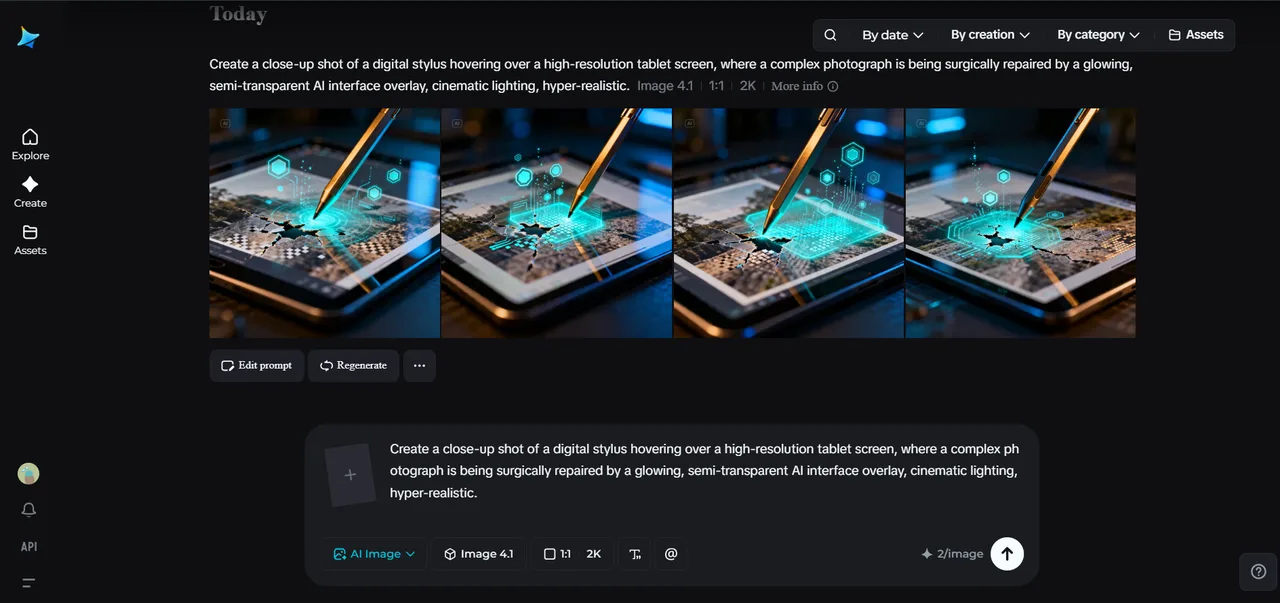
In the past, image editing was a completely inclusive experience. For example, if you needed to change the color of a particular object, there would be a good chance that in the process of making that change, you would also change the entire lighting of your picture.
-
From Venice to Vegas: The Fascinating History of the Modern Casino

Cards, dice, and roulette wheels did not appear in Las Vegas by magic. They traveled through courts, coffeehouses, riverboats, seaside resorts, and city halls before neon gave them a permanent glow. The story also explains why online rooms borrow so much old casino language. FS casino lists https://kaszinokmagyarorszagon.
-
How to Turn On or Off Chrome’s New 2026 Look
Chrome 150 rolled out a fresh redesign for Settings, Downloads, and Bookmarks pages. Here’s how to turn the new look on or off using Chrome flags.
-
New Chromium Flag Hints At Voice Typing Coming To Desktop Chrome
A code change merged into Chromium’s source tree adds a “Dictation” flag for Windows, Mac, and Linux, hinting ChromeOS’s voice-typing tool could be headed to desktop.
-
How to Change Default Gmail Account
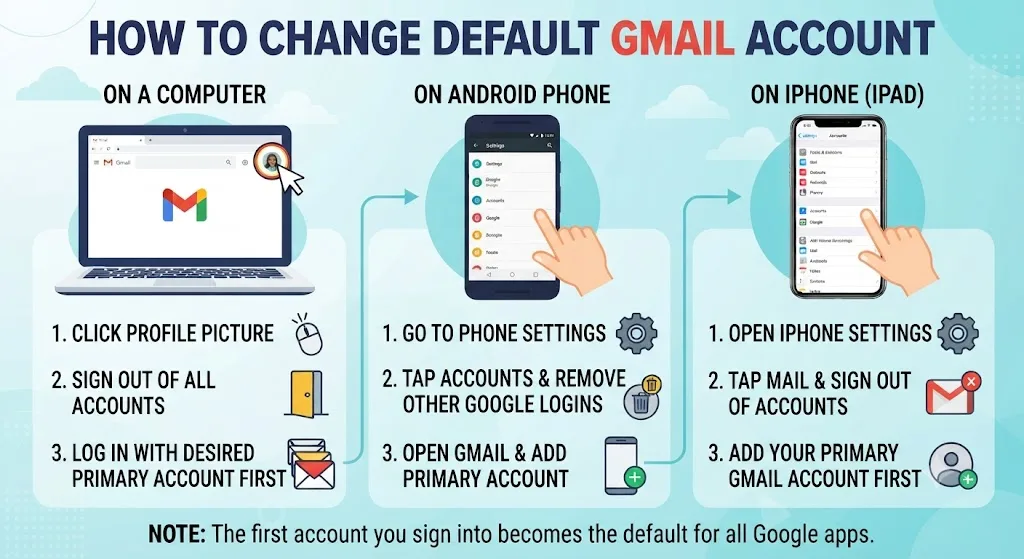
Learn how to change your default Gmail account on any device in just a few steps. Simplify switching between multiple inboxes and save time every day.
-
How To Enable Gmail Dark Mode
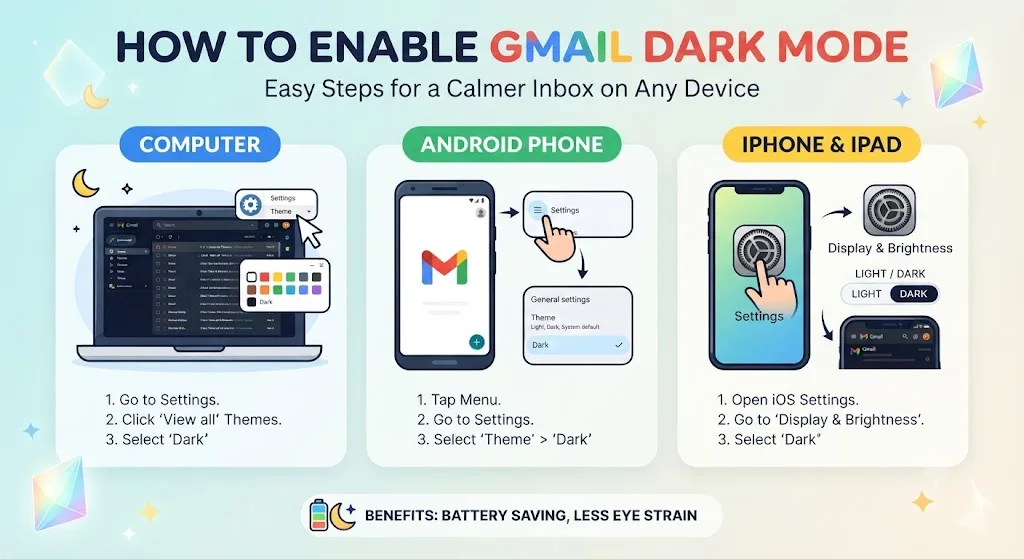
Learn how to enable Gmail dark mode in under a minute on any device. Reduce screen glare and enjoy a more comfortable inbox in low-light environments.
-
Automate building Chrome Extensions with Antigravity and DevTools MCP (I/O Connect ‘26)

Ever wished a website or your browser worked a little differently? That’s what Chrome Extensions are for – and building one is more accessible than you think. Watch this workshop from Sebastian Benz, to go from idea to a ready to publish extension, using Antigravity as your coding agent.
-
Practical steps to make your website agent-ready (I/O Connect ‘26)
Prepare your website for the next generation of AI-driven interactions. Dive into Chrome DevTools to monitor and debug the WebMCP, use targeted Lighthouse Audits to evaluate your site’s agentic web readiness, and finally put coding agent SKILLS to the test in practical exercises.
-
From zero to built-in AI hero (I/O Connect ‘26)
Explore the power of Chrome’s built-in AI APIs starting with the ""big picture."" Watch this workshop by Thomas Steiner to discover how to analyze a production-ready blogging platform to see how these APIs handle tasks like content generation and summarization.
-
Bridge the AI knowledge gap with Modern Web Guidance (I/O Connect ‘26)
Take a guided tour of Chrome’s modern web guidance toolkit for coding agents with Tara Agyemang – stepping through the installation process, all the way to using it in new and established codebases.
-
Authentication in 2026: A guide to passkeys, digital credentials and more (I/O Connect ‘26)
Natalia Markoborodova and Yu Tsuno, share how to eliminate password risks and reduce drop-off by implementing phishing-resistant authentication. Learn to build a modern identity flow that balances high security with a seamless user experience using Passkeys, Digital Credentials, Identity Federation, and other modern identity solutions.
-
Create a closed feedback loop: Chrome DevTools for agents (I/O Connect ‘26)
Hear from Matthias Rohmer how the MCP server and CLI of DevTools for agents help your coding agent to verify its own creations, reproduce issues in a real Chrome browser, and inspect them with the same powerful and trusted tools you use everyday, creating a closed feedback loop.
-
Samsung retiring its messaging app in favor of Google Messages is a win all around
For years, one of the biggest frustrations of the Android experience has been messaging fragmentation.
-
Samsung retiring its messaging app in favor of Google Messages is a win all around
For years, one of the biggest frustrations of the Android experience has been messaging fragmentation.
-
Samsung retiring its messaging app in favor of Google Messages is a win all around
For years, one of the biggest frustrations of the Android experience has been messaging fragmentation.
-
Google brings Ask Gemini and AI Overviews to the Drive mobile app
Searching for specific information buried deep inside a cloud storage drive is frustrating enough on a desktop. Trying to do it on a smartphone screen while juggling dozens of tabs and opening multiple documents just to find a single bullet point is even worse.
-
Google brings Ask Gemini and AI Overviews to the Drive mobile app
Searching for specific information buried deep inside a cloud storage drive is frustrating enough on a desktop. Trying to do it on a smartphone screen while juggling dozens of tabs and opening multiple documents just to find a single bullet point is even worse.
-
Chrome Beta for Android Update
Hi everyone! We’ve just released Chrome Beta 151 (151.0.7922.6) for Android. It’s now available on Google Play.You can see a partial list of the changes in the Git log. For details on new features, check out the Chromium blog, and for details on web platform updates, check here.
Welcome to the ChromeOSphere
Your one-stop hub for all things Chrome OS and Chrome browser. Our mission is simple: to keep you connected with the pulse of this ever-evolving digital realm. From the latest updates on Chrome, ChromeOSphere brings together the diverse voices of the Chrome world.