
Weekly Issue: 2026-26
-
How to Use “Listen to This Page” in Chrome (Read Aloud)


Chrome’s built-in “Listen to this page” feature reads web pages out loud with playback controls for speed, pause, and skipping. Here’s how to use it.
-
Chrome for Android Update

Hi, everyone! We’ve just released Chrome 149 (149.0.7827.197) for Android. It’ll become available on Google Play over the next few days. This release includes stability and performance improvements. You can see a full list of the changes in the Git log. If you find a new issue, please let us know by filing a bug.
-
Autofill Upgrade: Chrome brings deep Google Wallet integration to iOS and Android

Filling out online forms on a smartphone is easily one of the most tedious parts of the mobile web experience.
-
Autofill Upgrade: Chrome brings deep Google Wallet integration to iOS and Android
Filling out online forms on a smartphone is easily one of the most tedious parts of the mobile web experience.
-
Autofill Upgrade: Chrome brings deep Google Wallet integration to iOS and Android
Filling out online forms on a smartphone is easily one of the most tedious parts of the mobile web experience.
-
Autofill Upgrade: Chrome brings deep Google Wallet integration to iOS and Android
Filling out online forms on a smartphone is easily one of the most tedious parts of the mobile web experience.
-
Extended Stable Update for Desktop
The Extended Stable channel has been updated to 148.0.7778.280 for Windows and Mac which will roll out over the coming days/weeks. A full list of changes in this build is available in the log. Interested in switching release channels? Find out how here.
-
Stable Channel Update for Desktop
The Stable channel has been updated to 149.0.7827.196/197 for Windows and Mac and 149.0.7827.196 for Linux, which will roll out over the coming days/weeks. A full list of changes in this build is available in the LogInterested in switching release channels? Find out how here.
-
Beta Channel Update for ChromeOS / ChromeOS Flex
The Beta channel is being updated to OS version 16700.25.0 (Browser version 150.0.7871.40) for most ChromeOS devices.
-
Chrome autofill has some new tricks to save you from re-entering data on your phone
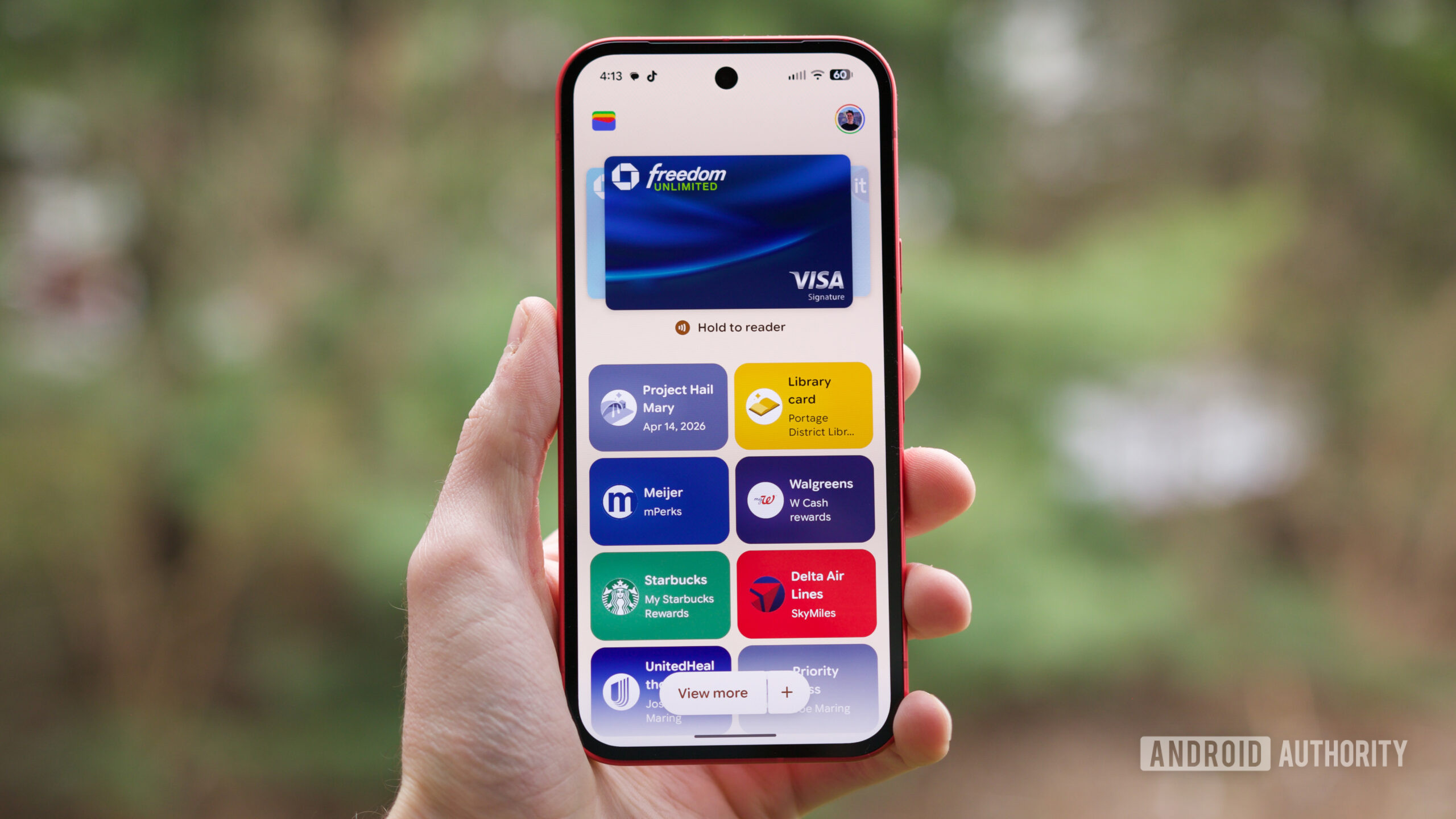
Expanded support for new Google Wallet data types is coming to multiple platforms.
-
Chrome autofill has some new tricks to save you from re-entering data on your phone
Expanded support for new Google Wallet data types is coming to multiple platforms.
-
Chrome autofill has some new tricks to save you from re-entering data on your phone
Expanded support for new Google Wallet data types is coming to multiple platforms.
-
Chrome autofill has some new tricks to save you from re-entering data on your phone
Expanded support for new Google Wallet data types is coming to multiple platforms.
-
Chrome autofill has some new tricks to save you from re-entering data on your phone
Expanded support for new Google Wallet data types is coming to multiple platforms.
-
Chrome is bringing advanced autofill capabilities to your phone with Google Wallet

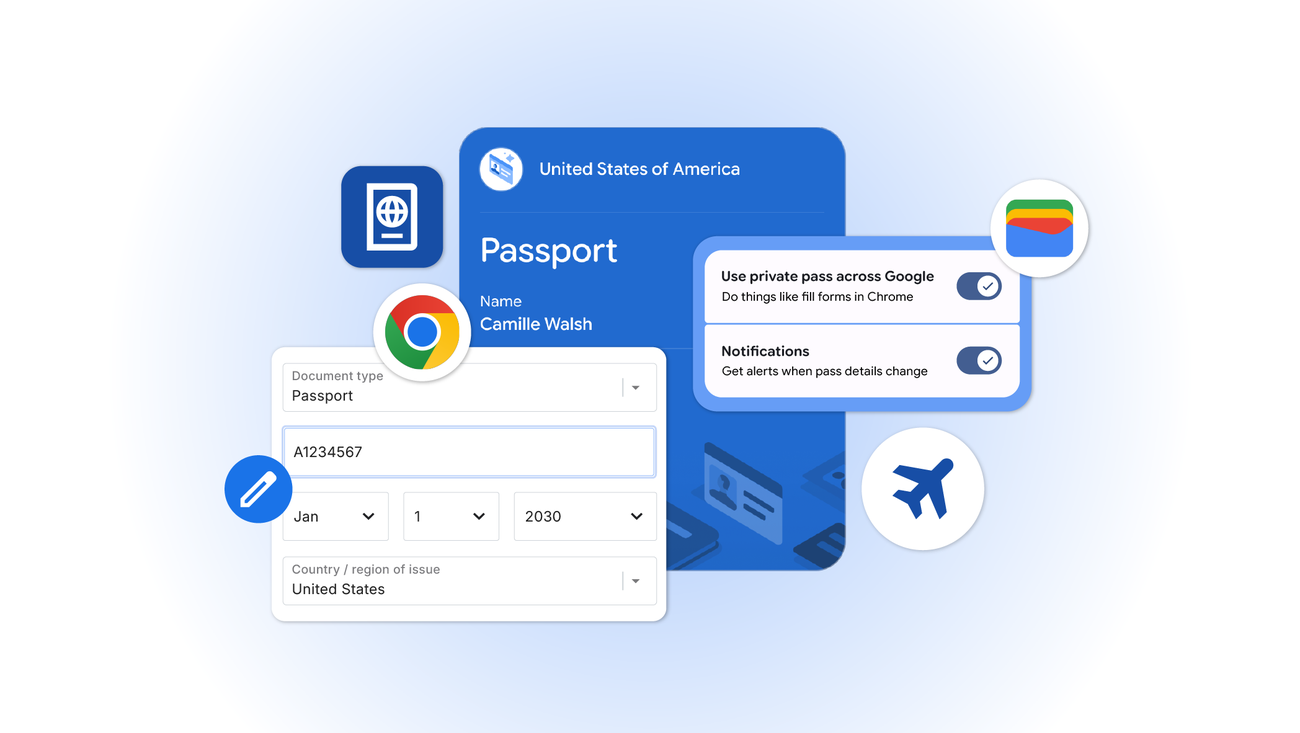
We’re extending new autofill capabilities to iOS and Android users. Get passport details, payment info and more, at your fingertips.
-
Chrome is bringing advanced autofill capabilities to your phone with Google Wallet
We’re extending new autofill capabilities to iOS and Android users. Get passport details, payment info and more, at your fingertips.
-
Chrome is bringing advanced autofill capabilities to your phone with Google Wallet
We’re extending new autofill capabilities to iOS and Android users. Get passport details, payment info and more, at your fingertips.
-
Chrome is bringing advanced autofill capabilities to your phone with Google Wallet
We’re extending new autofill capabilities to iOS and Android users. Get passport details, payment info and more, at your fingertips.
-
Google Vids get a massive, multi-clip video generation upgrade powered by Veo
Google Vids is getting a serious productivity boost. When it first launched, it gave users a clever way to generate storyboard scripts, insert stock footage, and spin up localized video drafts using simple text prompts.
-
Chromebook Performance Degradation Statistics 2026: Long-Term Usage And Reliability Data

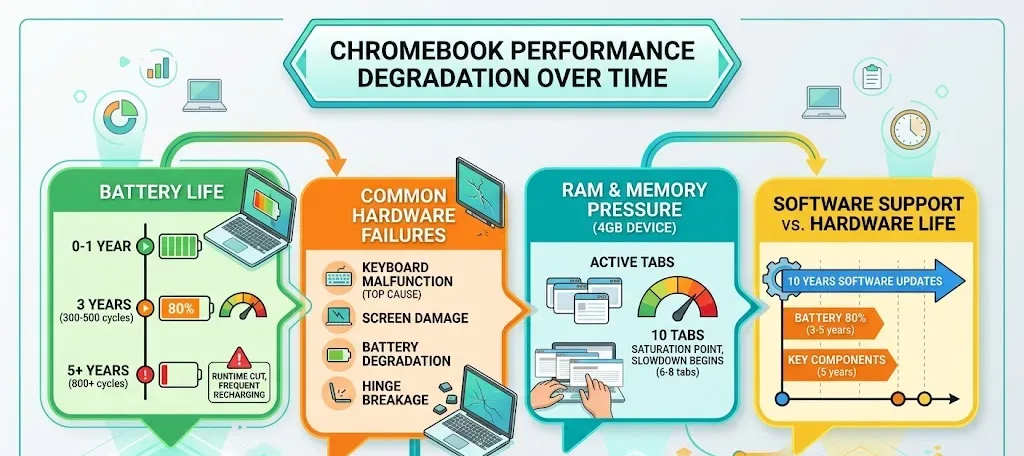
Chromebooks now receive up to 10 years of automatic updates, extending their average lifespan to 7.6 years in 2026. Explore Chromebook reliability, battery degradation, hardware longevity, and long-term performance trends.
-
Google Calendar breaks wide open with fully custom event colors

If you are a power user who balances multiple calendars with specific colors to help you navigate your schedule, you know that keeping things organized requires some serious color-coding.
-
Verifiable, private AI: Google Cloud expands Confidential Computing frontiers

Protecting sensitive data used with AI is a critical part of our commitment to providing advanced and secure cloud infrastructure. Confidential Computing cryptographically protects data in use in hardware-based Trusted Execution Environments (TEEs) with verifiable data integrity.
-
ChromeOS 149 is rolling out with new features and a massive security patch
The stable channel update for ChromeOS 149 is officially rolling out for most eligible Chromebooks.
-
ChromeOS 149 is rolling out with new features and a massive security patch
The stable channel update for ChromeOS 149 is officially rolling out for most eligible Chromebooks.
-
ChromeOS 149 is rolling out with new features and a massive security patch
The stable channel update for ChromeOS 149 is officially rolling out for most eligible Chromebooks.
-
ChromeOS 149 is rolling out with new features and a massive security patch
The stable channel update for ChromeOS 149 is officially rolling out for most eligible Chromebooks.
-
ChromeOS 149 is rolling out with new features and a massive security patch
The stable channel update for ChromeOS 149 is officially rolling out for most eligible Chromebooks.
-
ChromeOS 149 is rolling out with new features and a massive security patch
The stable channel update for ChromeOS 149 is officially rolling out for most eligible Chromebooks.
-
Chromium Tests Flag to Warn Users on Suspicious Sites
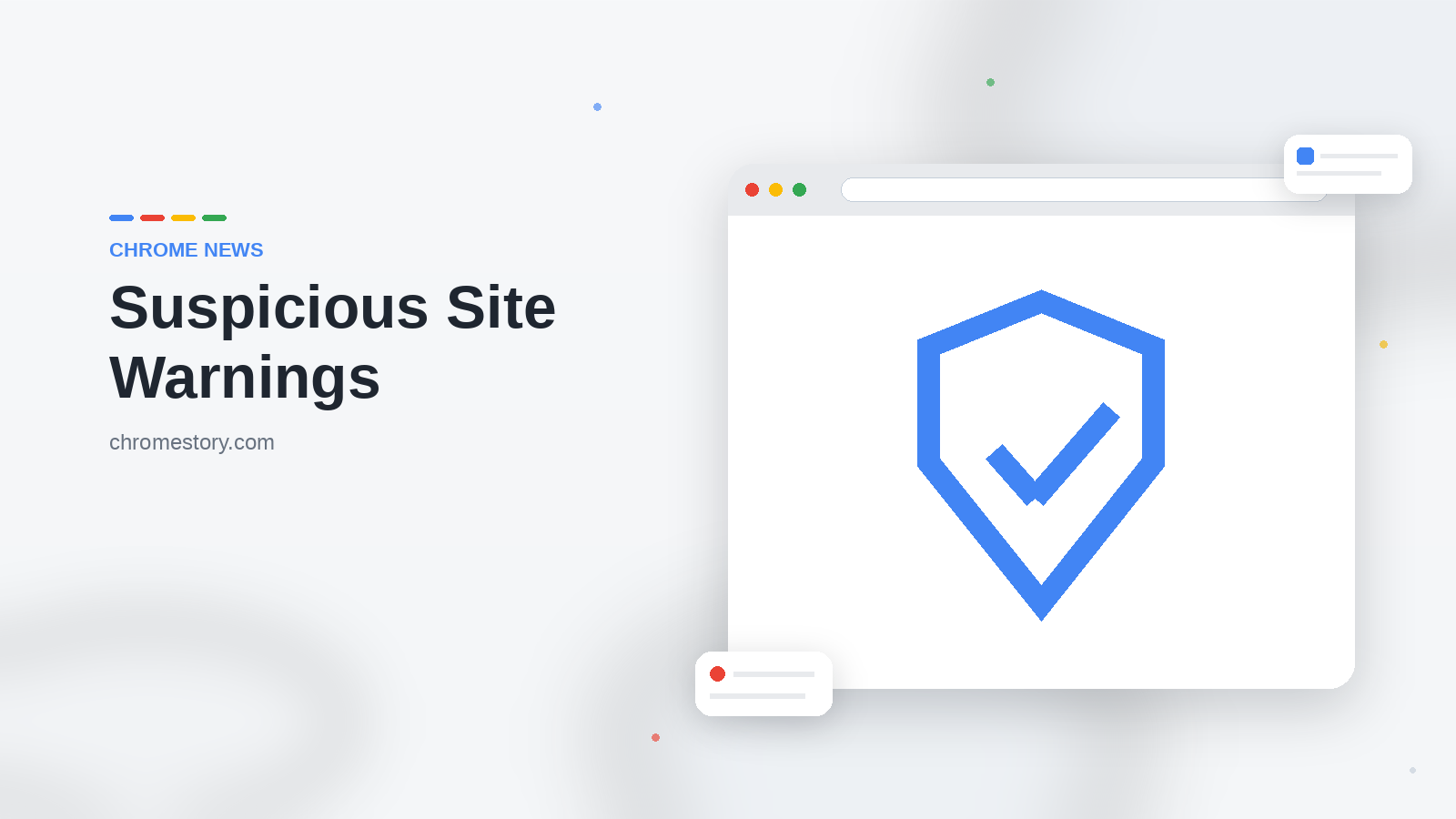
A new, disabled-by-default flag spotted in Chromium’s source code would let Safe Browsing flag sites it deems suspicious before users browse further.
-
Open models, global networks: How AT&T and GSMA are accelerating telecom innovation with Gemma
Telecommunications is an incredibly complex, highly specialized domain. Modern mobile networks are inherently multi-vendor, featuring diverse and often proprietary data structures. While AI has made massive leaps in general language and coding, telecom domain knowledge is rarely accessible on the open internet — there is simply no “Wikipedia” for telecoms.
-
How to Fill and Sign PDF Forms in Chrome (No Extension Needed)

Chrome’s built-in PDF viewer can fill in form fields and add a drawn signature, no extension needed. Here’s exactly where to find both tools.
-
Gonçalo Guedes – Top Assister of the 2025/26 Spanish Cup

The 2025/26 Spanish Cup tournament turned out to be intense and exciting. Real Sociedad celebrated a rather unexpected victory in the tournament. You can bet on the team at any time if you 1xBet apk download to your device.
-
Gonçalo Guedes – Top Assister of the 2025/26 Spanish Cup
The 2025/26 Spanish Cup tournament turned out to be intense and exciting. Real Sociedad celebrated a rather unexpected victory in the tournament. You can bet on the team at any time if you 1xBet apk download to your device.
-
How to Use Copilot to Compare Open Tabs in Microsoft Edge

Edge Copilot can now read all your open tabs at once and compare them for you. Here’s how to use multi-tab reasoning on desktop and mobile, with tips for better answers.
-
What Is Chrome AI Mode and How Do You Use It?
Chrome’s AI Mode adds a Gemini chat button to the new tab page, letting you ask questions and get AI answers without leaving the browser. Here’s how it works.
Welcome to the ChromeOSphere
Your one-stop hub for all things Chrome OS and Chrome browser. Our mission is simple: to keep you connected with the pulse of this ever-evolving digital realm. From the latest updates on Chrome, ChromeOSphere brings together the diverse voices of the Chrome world.