
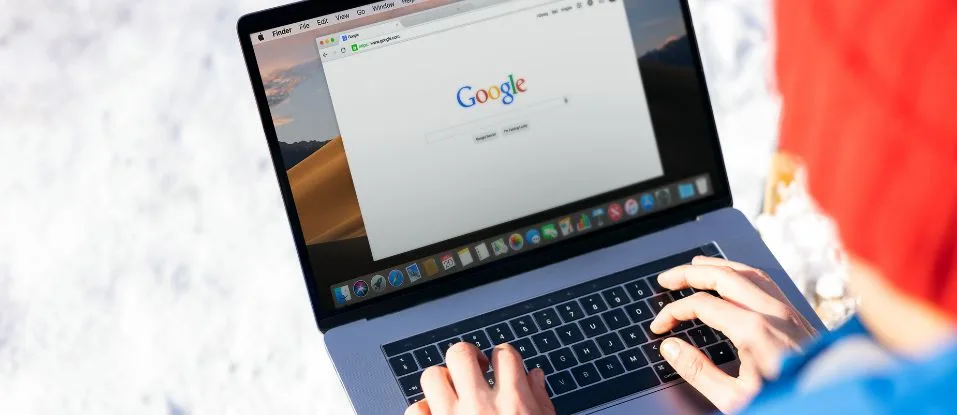
People are leaning into browser-based apps more than ever, and ChromeOS devices have quietly slipped into the spotlight for all kinds of digital play.
With a stripped-down operating system and the ever-present Chrome browser, these machines handle web apps right out of the box, sidestepping the need for hefty downloads or much in the way of storage.
Shoppers tend to pick Chromebooks for their wallet-friendliness, plus the low-key upkeep and built-in security layers.
Take slot games: since they run on HTML5 and usually leave heavy lifting to remote servers, you don’t need powerful hardwareto render standard browser-based interactions, but there’s a catch.
Depending on which Chromebook you have in front of you, performance can swing, from smooth and quick to a little sluggish. From a hardware baseline perspective.
Key hardware factors for browser gaming
Not all Chromebooks are created equal. Entry-level models typically come with Intel Celeron or MediaTek parts inside, and while these handle simpler titles fine, graphics-heavy are another story.
According to recent benchmarks, devices with Intel Core i3 or i5 processors and 8GB RAM consistently display better stability and faster rendering.
Storage requirements remain modest, as most slots titles store progress and graphics remotely, utilizing between 32GB and 128GB of available local storage for ChromeOS system operations.
Touchscreens make a notable difference for anyone who enjoys swiping or tapping their way through the action, especially on newer convertibles.
Unlike the Windows crowd, Chromebook users run Chrome as their daily driver, and it typically edges out Edge or Firefox in game performance tests.
Still, if you’re hoping to play titles with rich animations or 3D flourishes on a basic device, expect some lag, frame rates can easily stumble below 25 FPS in those moments.
User feedback collected from review sites suggests sticking with 8GB RAM (or more) and prioritizing newer processors if you want to keep things running smoothly for longer sessions.
Browser compatibility and software tweaks
The shift to HTML5 over the past few years turned the tide for online slot gaming. With Flash officially out of the picture, developers have embraced lighter frameworks so their games work across just about any device with barely any delay.
ChromeOS updates roll out every couple of months, bringing fresh codecs and improved rendering under the hood. Most player reports and tech enthusiasts agree, Chrome usually loads and runs slot games faster than its competitors.
That said, here and there, a game might throw up small glitches on Chrome but run without a hitch on Firefox, often due to how each browser manages dense JavaScript or SVG graphics.
For a quick performance boost, Chrome’s hardware acceleration can be enabled, shifting more of the grunt work to the GPU. This pays off with fancier visual effects.
Finding better performance: tweaks and habits
Users who care about smoother play often turn to ChromeOS’s more advanced settings and their internet connection. Dipping into Chrome Settings to enable hardware acceleration puts stronger GPUs to use and cuts down on distracting lag.
For those willing to dig deeper, advanced options at chrome://flags, like toggling GPU Rasterization or Smooth Scrolling, can squeeze out extra performance in graphics-demanding games, especially if you’re juggling multiple tabs.
On devices with just 4GB of RAM, clearing your cache and disabling extra extensions can free up needed memory.
Solid, fast Wi-Fi (preferably 5GHz and at least 10 Mbps) goes a long way to prevent interruptions, some even fine-tune their router’s quality-of-service settings for better network reliability during gaming.
Restarting your device or staying up-to-date with system patches from Google can also reduce those mysterious slowdowns that crop up over time.
Not all devices (or games) act alike
One thing is clear, performance has plenty of variables. Certain use assets or effects built for web assembly, playing perfectly in Chrome yet sometimes stuttering on other browsers.
Oddly enough, other games appear more stable in Firefox thanks to differences in how each browser reconciles complex animations or scripts. Display size, refresh rate, and touchscreen support all shape the end user experience too.
Chromebooks with touchscreens can come surprisingly close to the feel of mobile web apps, while those using a keyboard aren’t left out.
For those who love diagnosing problems, built-in Chrome flags or browser extensions can reveal frame rate dips and pinpoint lags.
Unlike cloud gaming services that rely on remote hardware, browser slot apps lean heavily on your device’s own rendering power, especially for real-time animations.
Considering the wide variation in ChromeOS hardware, it’s no surprise that users report such different experiences.
Keeping play responsible
With browser access so easy and games always just a click away, it makes sense to set boundaries. ChromeOS users might consider using time tracking tools, spending limits, or browser extensions to ensure their habits stay in check.
Anyone sensing a change in behavior should reach out for guidance or professional support.